> ## Documentation Index
> Fetch the complete documentation index at: https://docs.occtoo.com/llms.txt
> Use this file to discover all available pages before exploring further.
# Source and provider updates
> Two boards over the same ingest traffic — one grouped by the source written to, one by the provider writing.
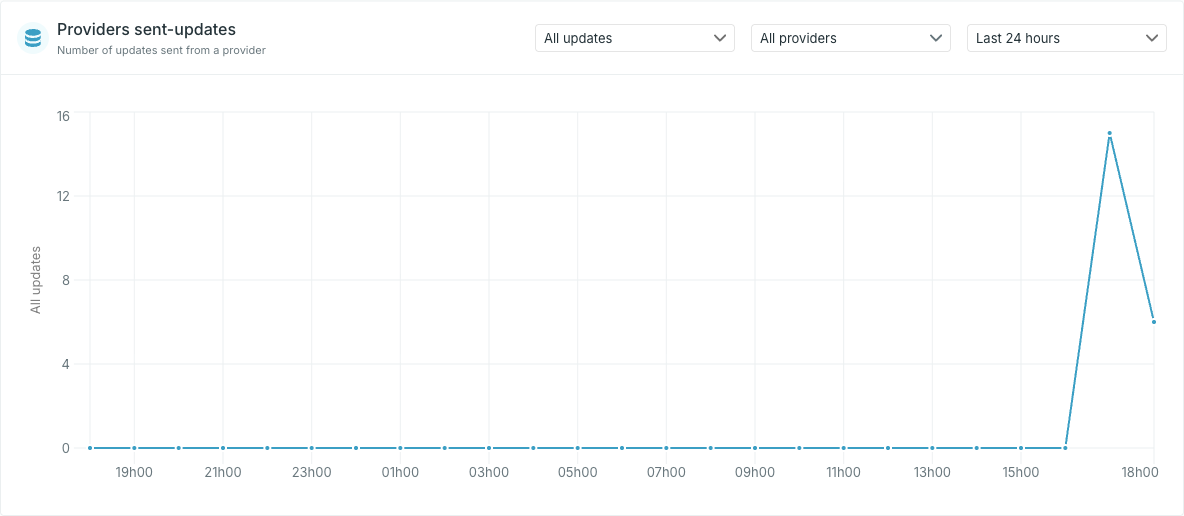
**Sources updates** counts *updates received by a source*. **Providers sent-updates** counts *updates sent from a provider*. Both plot the same ingest events; they differ only in what each line represents.
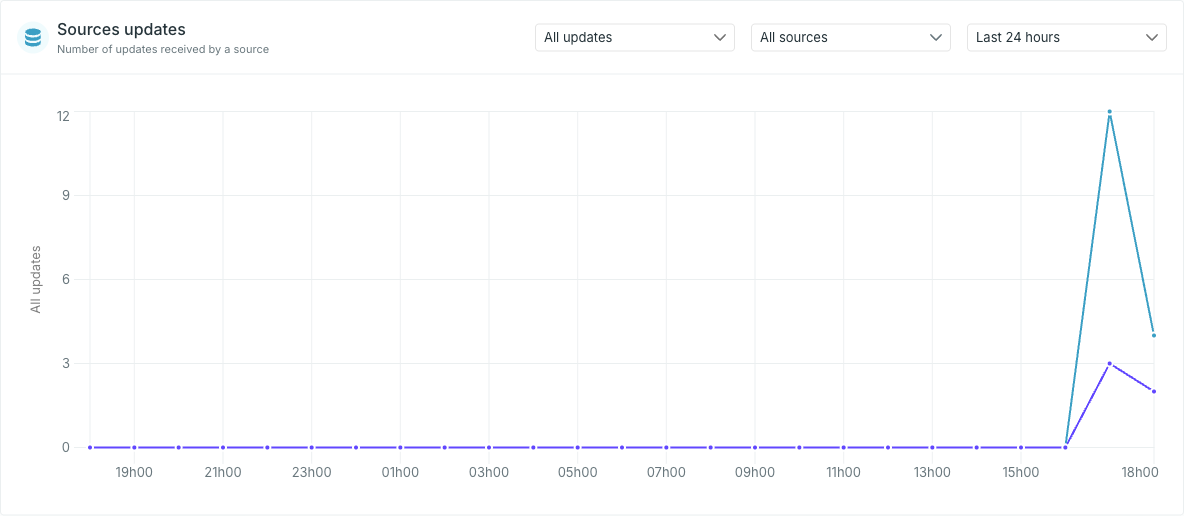 Use the source board to answer "is this source still being fed?", and the provider board to answer "is this integration still running?".
## Filter what is counted
Both boards carry the same three selectors.
### Update type
Not every update changes data. An integration that re-sends an unchanged row produces a **no-op** — Occtoo accepted the message and found nothing to change. Counting those alongside real changes makes a feed look busier than it is.
Use the source board to answer "is this source still being fed?", and the provider board to answer "is this integration still running?".
## Filter what is counted
Both boards carry the same three selectors.
### Update type
Not every update changes data. An integration that re-sends an unchanged row produces a **no-op** — Occtoo accepted the message and found nothing to change. Counting those alongside real changes makes a feed look busier than it is.
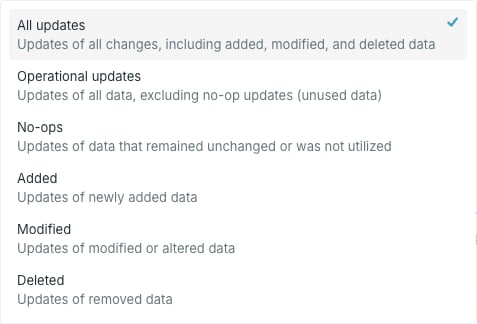 | Option | Counts |
| ----------------------- | --------------------------------- |
| **All updates** | Every update, including no-ops |
| **Operational updates** | Everything except no-ops |
| **No-ops** | Only updates that changed nothing |
| **Added** | Only newly added data |
| **Modified** | Only altered data |
| **Deleted** | Only removed data |
A high **No-ops** count is not an error — it usually means an integration re-sends its full set on a schedule. Compare **Operational updates** against **All updates** to see how much of a feed is doing real work.
### Source or provider
The middle selector narrows the board to one source (or one provider). Left alone it reads **All sources** / **All providers** and plots a line per source or provider.
| Option | Counts |
| ----------------------- | --------------------------------- |
| **All updates** | Every update, including no-ops |
| **Operational updates** | Everything except no-ops |
| **No-ops** | Only updates that changed nothing |
| **Added** | Only newly added data |
| **Modified** | Only altered data |
| **Deleted** | Only removed data |
A high **No-ops** count is not an error — it usually means an integration re-sends its full set on a schedule. Compare **Operational updates** against **All updates** to see how much of a feed is doing real work.
### Source or provider
The middle selector narrows the board to one source (or one provider). Left alone it reads **All sources** / **All providers** and plots a line per source or provider.
 ### Period
The period selector runs from **Last 10 minutes** to **Last 72 hours**.
These two boards only go back 72 hours — they are for watching a feed you are working on now, not for month-over-month reporting. The chart's time buckets get coarser as the period widens.
## When a board is empty
An empty board means no updates were recorded in the selected window with the selected update type — not that the source or provider is broken. Widen the period, or switch the update type to **All updates**, before treating it as a fault.
To check a single source in more detail, including the ingest log, open that source and use its own monitoring view — see [Monitor data ingest](/guides/studio/sources/monitor-ingest).
### Period
The period selector runs from **Last 10 minutes** to **Last 72 hours**.
These two boards only go back 72 hours — they are for watching a feed you are working on now, not for month-over-month reporting. The chart's time buckets get coarser as the period widens.
## When a board is empty
An empty board means no updates were recorded in the selected window with the selected update type — not that the source or provider is broken. Widen the period, or switch the update type to **All updates**, before treating it as a fault.
To check a single source in more detail, including the ingest log, open that source and use its own monitoring view — see [Monitor data ingest](/guides/studio/sources/monitor-ingest).