> ## Documentation Index
> Fetch the complete documentation index at: https://docs.occtoo.com/llms.txt
> Use this file to discover all available pages before exploring further.
# Delete a card
> Remove a card and all its details for good.
Open the card, open the menu in the upper right corner and pick **Delete card**. Confirm with **Yes, delete card**. Studio returns to the **Cards** page.
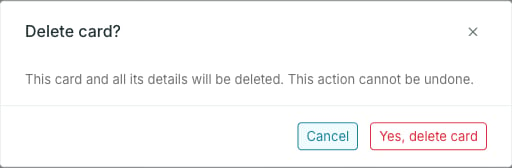 Deleting is permanent. To take a card out of use but keep it, [archive it](/guides/studio/cards/archive-and-restore-a-card) instead.
## When deletion is blocked
The menu item is disabled when the card is used by a destination, a segment or a relation.
To delete such a card, first remove it from every destination and segment, and delete the relations it takes part in. The [usage widgets](/guides/studio/cards/track-usage) on the card page list everything you need to clear.
Deletion is also blocked while the card is **Updating**.
A card's status does not by itself prevent deletion. An **Active** card with no segments, destinations or relations can be deleted; an unused **Archived** card can be deleted too.
Deleting is permanent. To take a card out of use but keep it, [archive it](/guides/studio/cards/archive-and-restore-a-card) instead.
## When deletion is blocked
The menu item is disabled when the card is used by a destination, a segment or a relation.
To delete such a card, first remove it from every destination and segment, and delete the relations it takes part in. The [usage widgets](/guides/studio/cards/track-usage) on the card page list everything you need to clear.
Deletion is also blocked while the card is **Updating**.
A card's status does not by itself prevent deletion. An **Active** card with no segments, destinations or relations can be deleted; an unused **Archived** card can be deleted too.