> ## Documentation Index
> Fetch the complete documentation index at: https://docs.occtoo.com/llms.txt
> Use this file to discover all available pages before exploring further.
# Update a property
> What can be changed on an existing card property, and what is fixed for good.
Open the card, find the property in the **Properties** widget and press the pencil on its row.
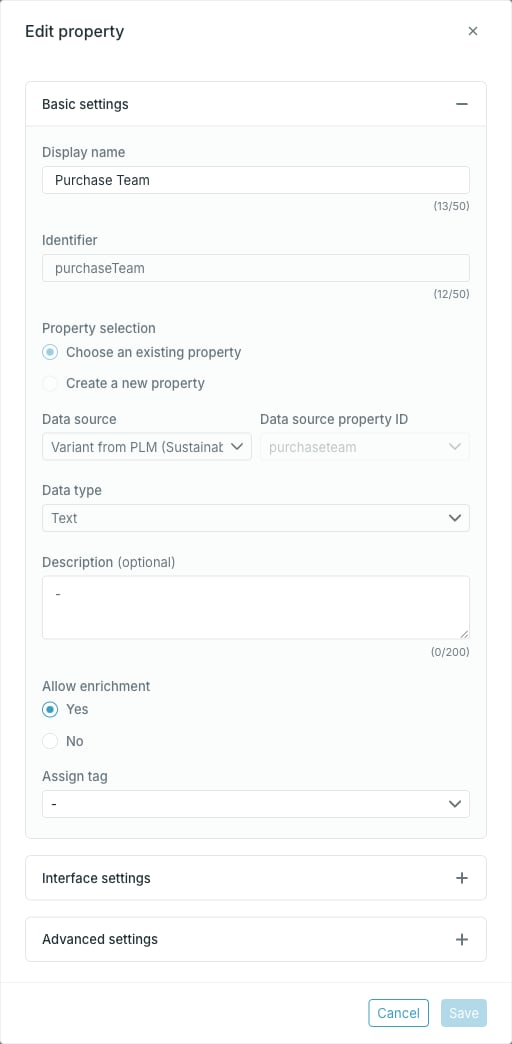
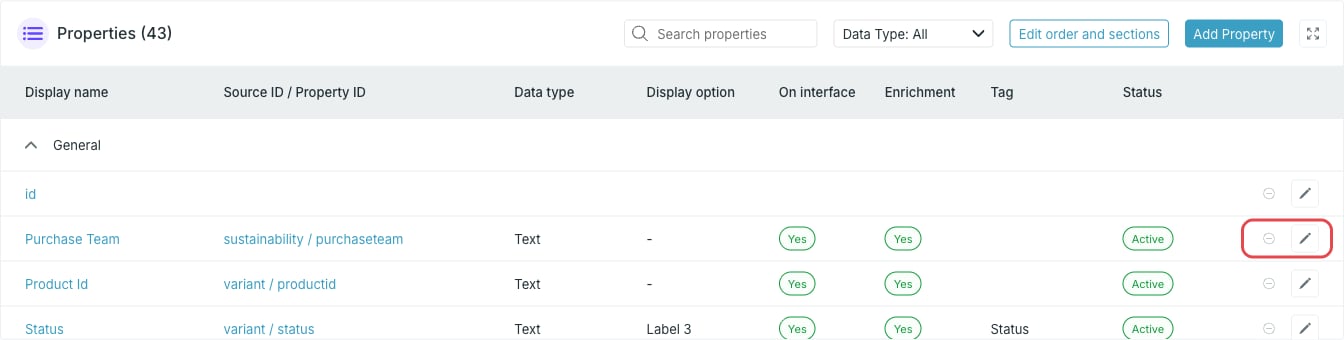 The **Edit property** dialog is the same dialog as [Add a property](/guides/studio/cards/add-a-property), with the mapping fields locked.
 ## What you can change
* **Display name**
* **Description**
* **Allow enrichment**
* **Assign tag** and **Use the key of the tag**
* **Display section**
* **Display option**
* **Show on interface**
## What is locked
* **Identifier**
* **Property selection**
* **Data source**
* **Data source property ID**
* **Data type** and **Delimiter**
The identifier and the source mapping are fixed once a property has been added. To point a card at a different source property, or to change a property's data type, remove the property and add it again — see [Remove a property](/guides/studio/cards/remove-a-property).
A property that is still pending — added but not yet activated — is the exception: its mapping fields are still editable until the card is activated.
## Changes on an active card
On a **Draft** card an edit applies immediately. On an **Active** card the property moves to **Pending changes** and the edit is applied when you press **Activate card**. See [Work with pending changes](/guides/studio/cards/pending-changes).
## The id property
Every card has a built-in `id` property. It has its own dialog, **Edit 'id' property**, with a single field: **Display option**.
## What you can change
* **Display name**
* **Description**
* **Allow enrichment**
* **Assign tag** and **Use the key of the tag**
* **Display section**
* **Display option**
* **Show on interface**
## What is locked
* **Identifier**
* **Property selection**
* **Data source**
* **Data source property ID**
* **Data type** and **Delimiter**
The identifier and the source mapping are fixed once a property has been added. To point a card at a different source property, or to change a property's data type, remove the property and add it again — see [Remove a property](/guides/studio/cards/remove-a-property).
A property that is still pending — added but not yet activated — is the exception: its mapping fields are still editable until the card is activated.
## Changes on an active card
On a **Draft** card an edit applies immediately. On an **Active** card the property moves to **Pending changes** and the edit is applied when you press **Activate card**. See [Work with pending changes](/guides/studio/cards/pending-changes).
## The id property
Every card has a built-in `id` property. It has its own dialog, **Edit 'id' property**, with a single field: **Display option**.
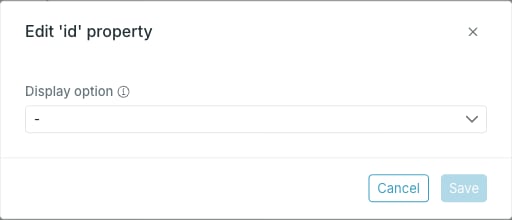 The `id` property cannot be renamed, retyped or removed, and it has no source mapping of its own.