> ## Documentation Index
> Fetch the complete documentation index at: https://docs.occtoo.com/llms.txt
> Use this file to discover all available pages before exploring further.
# Add an entry
> Create a single entry by hand on a card that allows enrichment.
Most entries arrive from a source. When you need one that no source delivers, create it by hand from the toolbar menu.
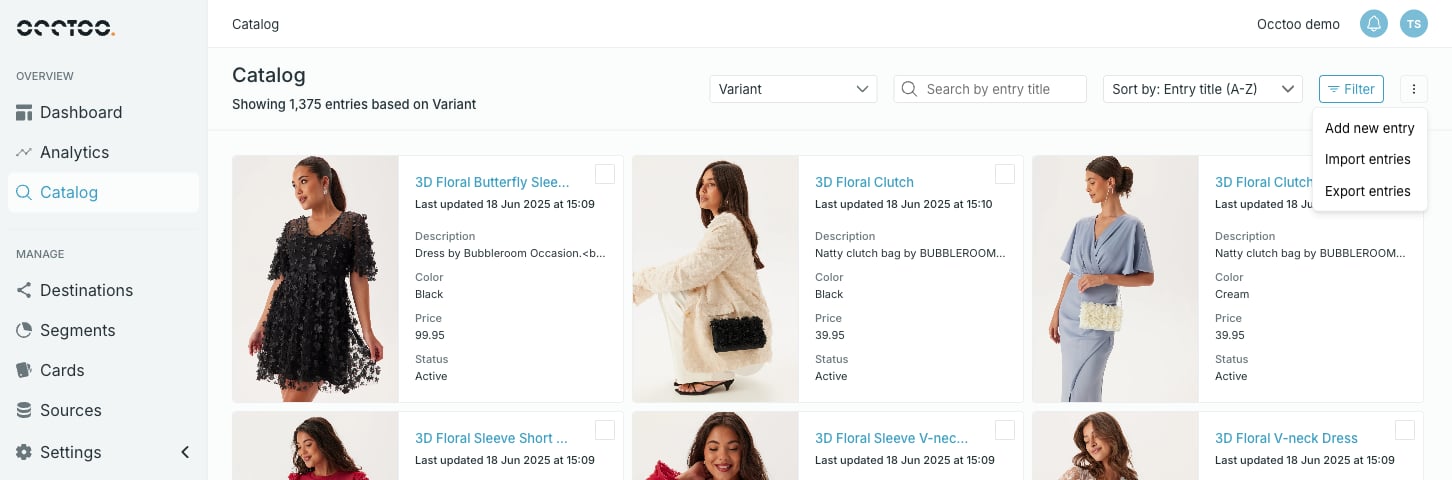 **Add new entry** is only in the menu when the card has at least one property with **Allow enrichment** turned on. On a read-only card there is nothing a hand-made entry could hold, so the action is absent.
Studio asks for the identifier of the new entry first.
**Add new entry** is only in the menu when the card has at least one property with **Allow enrichment** turned on. On a read-only card there is nothing a hand-made entry could hold, so the action is absent.
Studio asks for the identifier of the new entry first.
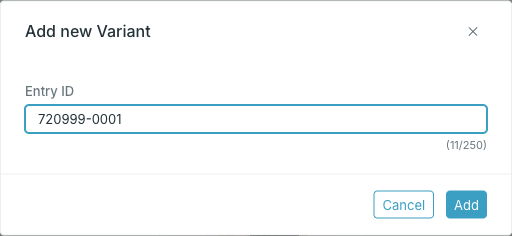 The id must be unique on this card and may hold only letters, numbers, `.`, `_` and `-`, up to 250 characters. `id` itself is reserved. Studio checks the id against the existing entries and refuses one that is already taken.
This id is what relations, segments and destinations refer to, and it cannot be changed afterwards.
**Add** opens the entry full screen with every value empty.
The id must be unique on this card and may hold only letters, numbers, `.`, `_` and `-`, up to 250 characters. `id` itself is reserved. Studio checks the id against the existing entries and refuses one that is already taken.
This id is what relations, segments and destinations refer to, and it cannot be changed afterwards.
**Add** opens the entry full screen with every value empty.
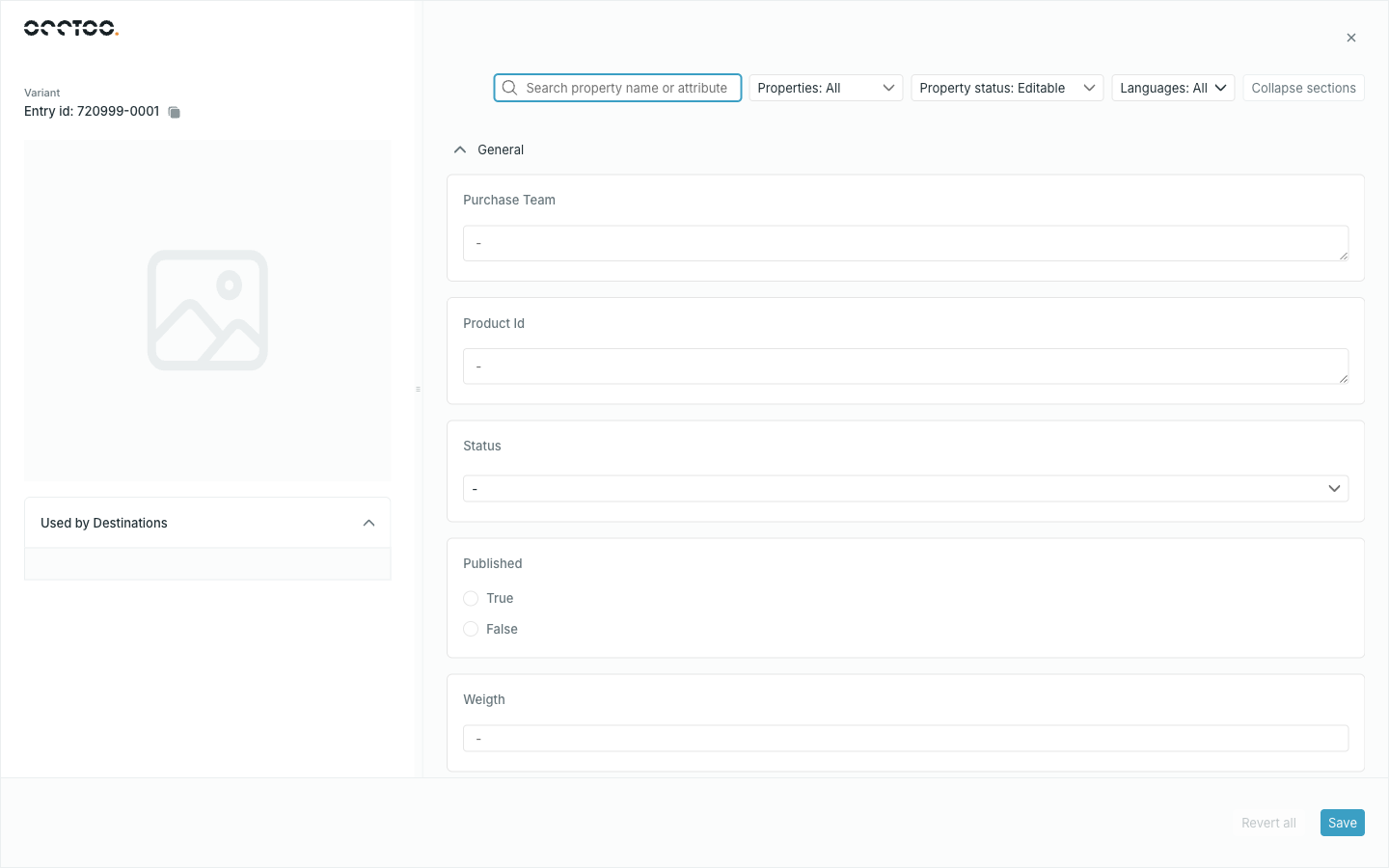 The property list starts filtered to **Property status: Editable**, since those are the only properties you can fill. Switch it to **All** to see the sourced properties too — they stay read-only and empty.
Studio closes the entry, and the new entry is in the list.
Closing the form before saving discards the entry — there is no draft.
The creation form has no tabs: there is nothing to show in a change log, in relations or in used-by until the entry exists. Reopen it from the list to reach those.
To create many entries at once, use [Import entries](/guides/studio/catalog/import-entries) instead.
The property list starts filtered to **Property status: Editable**, since those are the only properties you can fill. Switch it to **All** to see the sourced properties too — they stay read-only and empty.
Studio closes the entry, and the new entry is in the list.
Closing the form before saving discards the entry — there is no draft.
The creation form has no tabs: there is nothing to show in a change log, in relations or in used-by until the entry exists. Reopen it from the list to reach those.
To create many entries at once, use [Import entries](/guides/studio/catalog/import-entries) instead.