> ## Documentation Index
> Fetch the complete documentation index at: https://docs.occtoo.com/llms.txt
> Use this file to discover all available pages before exploring further.
# Add relations to an endpoint
> Nest a related card inside the response so one call returns both.
A relation embeds a related card inside the endpoint's response — variants inside a product, media inside a variant — so a consumer gets both in a single request.
Relations come from the card, not the destination: only relations already defined on the card can be added here. See [Card relations](/guides/studio/cards/card-relations).
## Add a relation
Open the endpoint and expand the node you want to nest under. Available relations are listed as buttons under **Relations**.
Click the relation's button to open **Add new relation**.
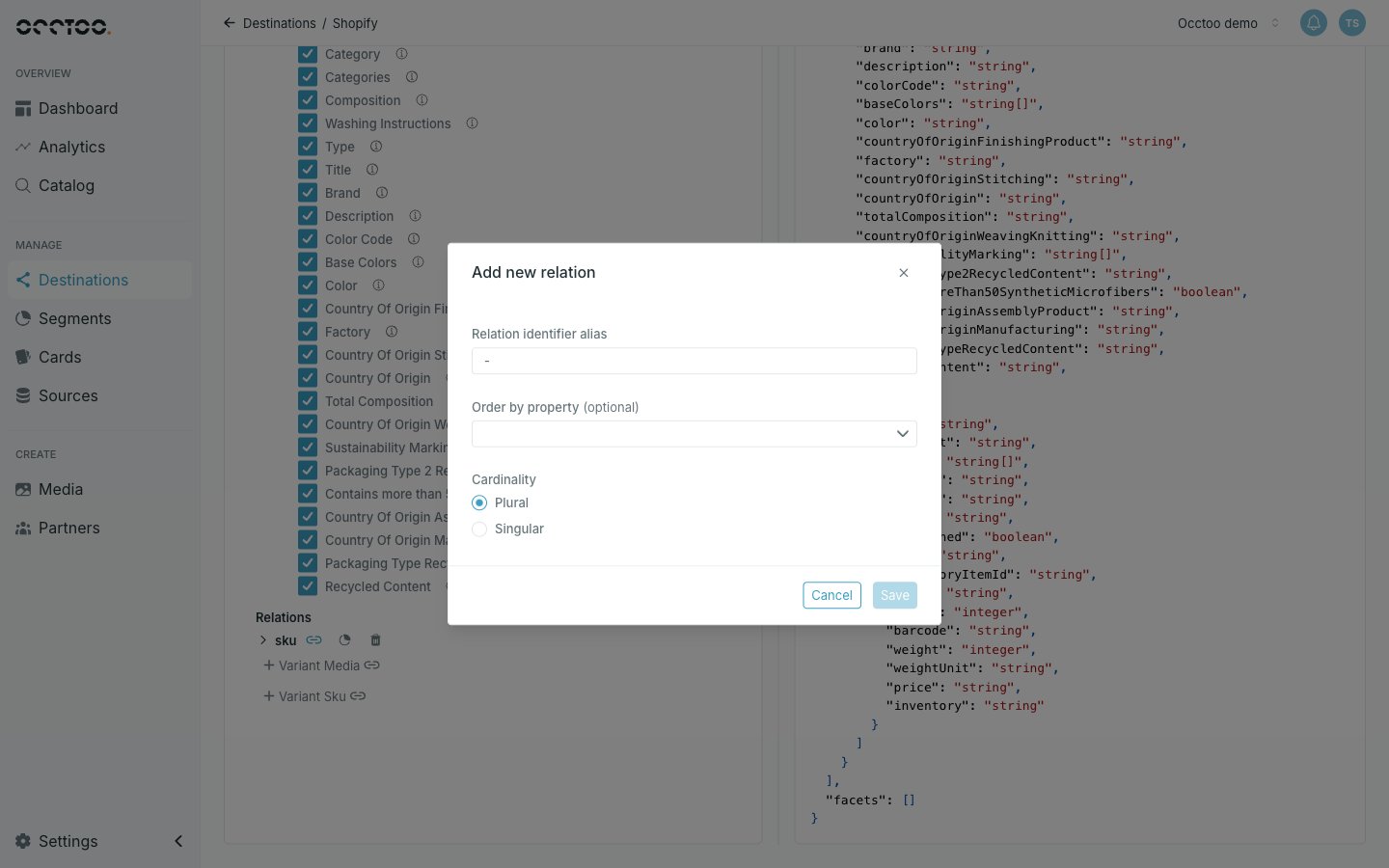 * **Relation identifier alias** — the field name the nested data appears under in the response.
* **Order by property** — optional; which property of the related card decides the order, and whether it sorts ascending or descending.
* **Cardinality** — **Plural** returns an array, **Singular** returns a single object.
Click **Save**, then **Save settings** on the tree.
The relation becomes a node in the tree with its own **Properties** and **Relations**, so you can select properties and nest further. The right-hand preview shows the nested shape immediately.
A relation node starts with its entry `id` selected. Unticking every property of a relation re-ticks `id` automatically — a nested object always carries at least its identifier.
## Edit or remove a relation
The relation node carries controls to edit its settings and to delete it. Both are unavailable on a published version unless the relation is itself an unpublished addition.
Each level of nesting multiplies the work a request does. Deep chains of plural relations make responses large and slow — flatten what consumers do not need.
* **Relation identifier alias** — the field name the nested data appears under in the response.
* **Order by property** — optional; which property of the related card decides the order, and whether it sorts ascending or descending.
* **Cardinality** — **Plural** returns an array, **Singular** returns a single object.
Click **Save**, then **Save settings** on the tree.
The relation becomes a node in the tree with its own **Properties** and **Relations**, so you can select properties and nest further. The right-hand preview shows the nested shape immediately.
A relation node starts with its entry `id` selected. Unticking every property of a relation re-ticks `id` automatically — a nested object always carries at least its identifier.
## Edit or remove a relation
The relation node carries controls to edit its settings and to delete it. Both are unavailable on a published version unless the relation is itself an unpublished addition.
Each level of nesting multiplies the work a request does. Deep chains of plural relations make responses large and slow — flatten what consumers do not need.