> ## Documentation Index
> Fetch the complete documentation index at: https://docs.occtoo.com/llms.txt
> Use this file to discover all available pages before exploring further.
# Register an application
> Create the client credentials a consumer needs to call a protected destination.
A **Protected** destination only answers callers holding a valid token. Registering an application produces the **Client ID** and **client secret** used to fetch that token.
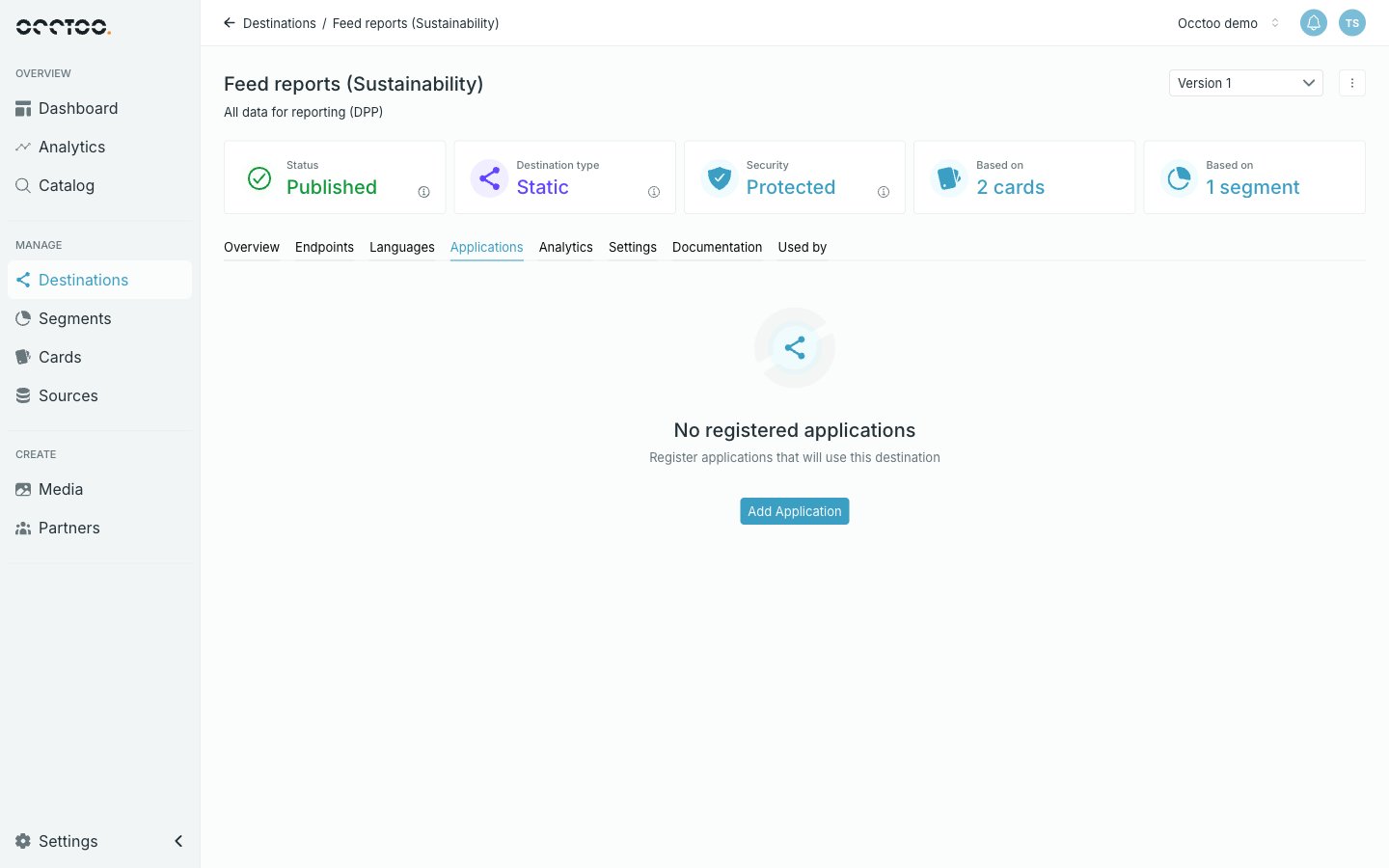 Open the destination and select **Applications**, then click **Add Application**.
The tab only exists on a **Protected** version. A Public destination needs no application.
Open the destination and select **Applications**, then click **Add Application**.
The tab only exists on a **Protected** version. A Public destination needs no application.
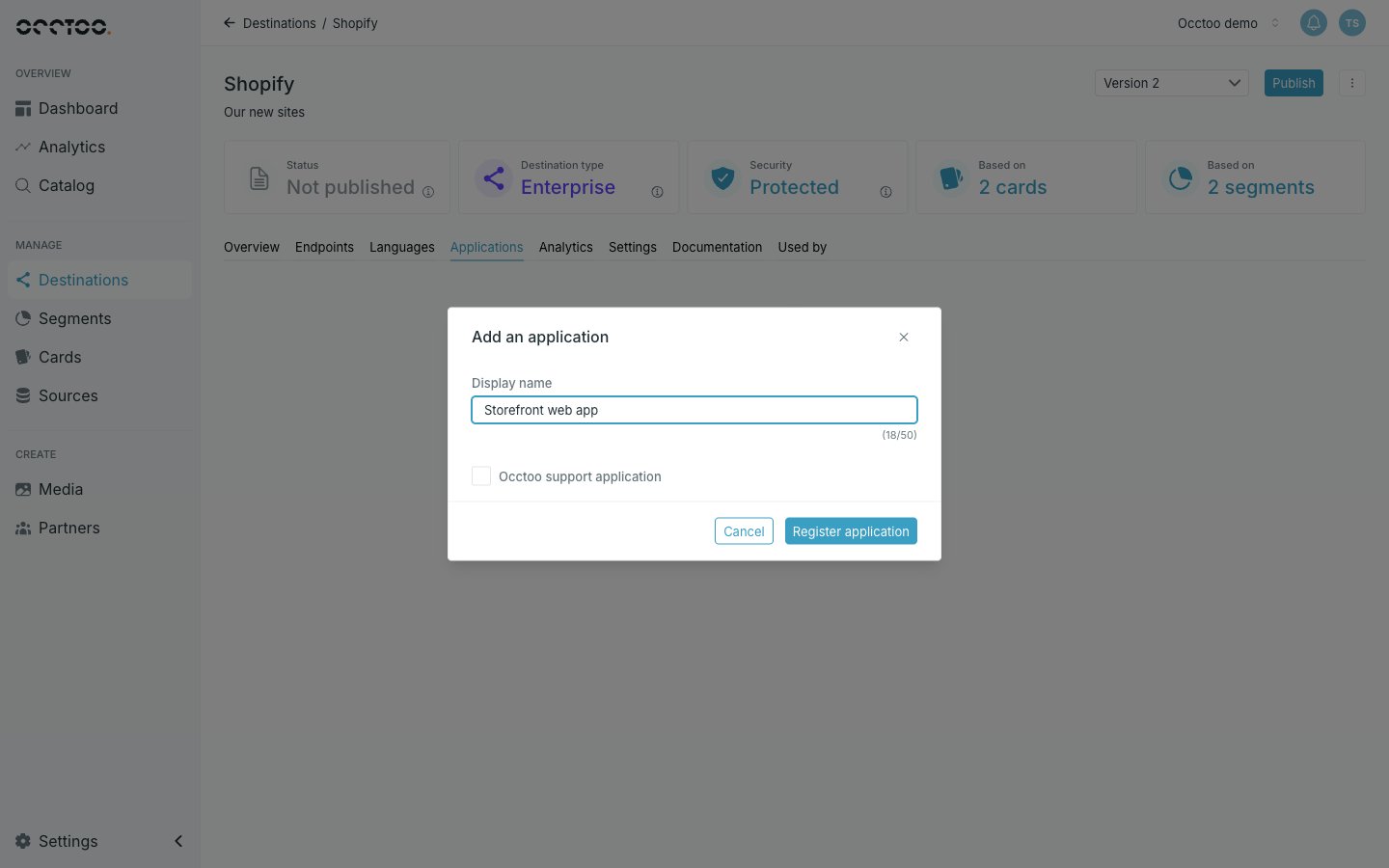 Give it a **Display name** that identifies the consumer — the storefront, the marketplace connector, the agent — then click **Register application**.
The secret appears once, with a copy control. Copy and store it, then confirm with **I have copied the secret. Close the dialog.**
The secret is shown only at creation and cannot be retrieved afterwards. Trying to close the dialog without copying it raises a warning; closing a second time dismisses it anyway — the only way forward is to [reset the secret](/guides/studio/destinations/reset-a-client-secret).
Each registered application is listed with its name and **Client ID**, both copyable, and a **⋮** menu.
## What a consumer needs
| Value | Where to find it |
| ----------------- | ---------------------------------------------- |
| **Version ID** | The **Settings** tab of the destination |
| **Client ID** | On the application in the **Applications** tab |
| **Client secret** | Only at creation — store it then |
See [Application authentication](/api-reference/authentication/application-token) for exchanging these for a token.
## How many you can register
Only **Multi-consumer** destinations accept several applications. **Dynamic**, **Static** and **Enterprise** destinations allow one, and **Add Application** is disabled with a tooltip once it exists. See [Destination types](/concepts/destination-types).
**Add Application** is also disabled while a publish or update is running.
Give it a **Display name** that identifies the consumer — the storefront, the marketplace connector, the agent — then click **Register application**.
The secret appears once, with a copy control. Copy and store it, then confirm with **I have copied the secret. Close the dialog.**
The secret is shown only at creation and cannot be retrieved afterwards. Trying to close the dialog without copying it raises a warning; closing a second time dismisses it anyway — the only way forward is to [reset the secret](/guides/studio/destinations/reset-a-client-secret).
Each registered application is listed with its name and **Client ID**, both copyable, and a **⋮** menu.
## What a consumer needs
| Value | Where to find it |
| ----------------- | ---------------------------------------------- |
| **Version ID** | The **Settings** tab of the destination |
| **Client ID** | On the application in the **Applications** tab |
| **Client secret** | Only at creation — store it then |
See [Application authentication](/api-reference/authentication/application-token) for exchanging these for a token.
## How many you can register
Only **Multi-consumer** destinations accept several applications. **Dynamic**, **Static** and **Enterprise** destinations allow one, and **Add Application** is disabled with a tooltip once it exists. See [Destination types](/concepts/destination-types).
**Add Application** is also disabled while a publish or update is running.