> ## Documentation Index
> Fetch the complete documentation index at: https://docs.occtoo.com/llms.txt
> Use this file to discover all available pages before exploring further.
# Search within a segment
> Find a single entry among the entries of a segment.
Open a segment and go to the **Segmented entries** widget. The header shows how many entries the segment holds.
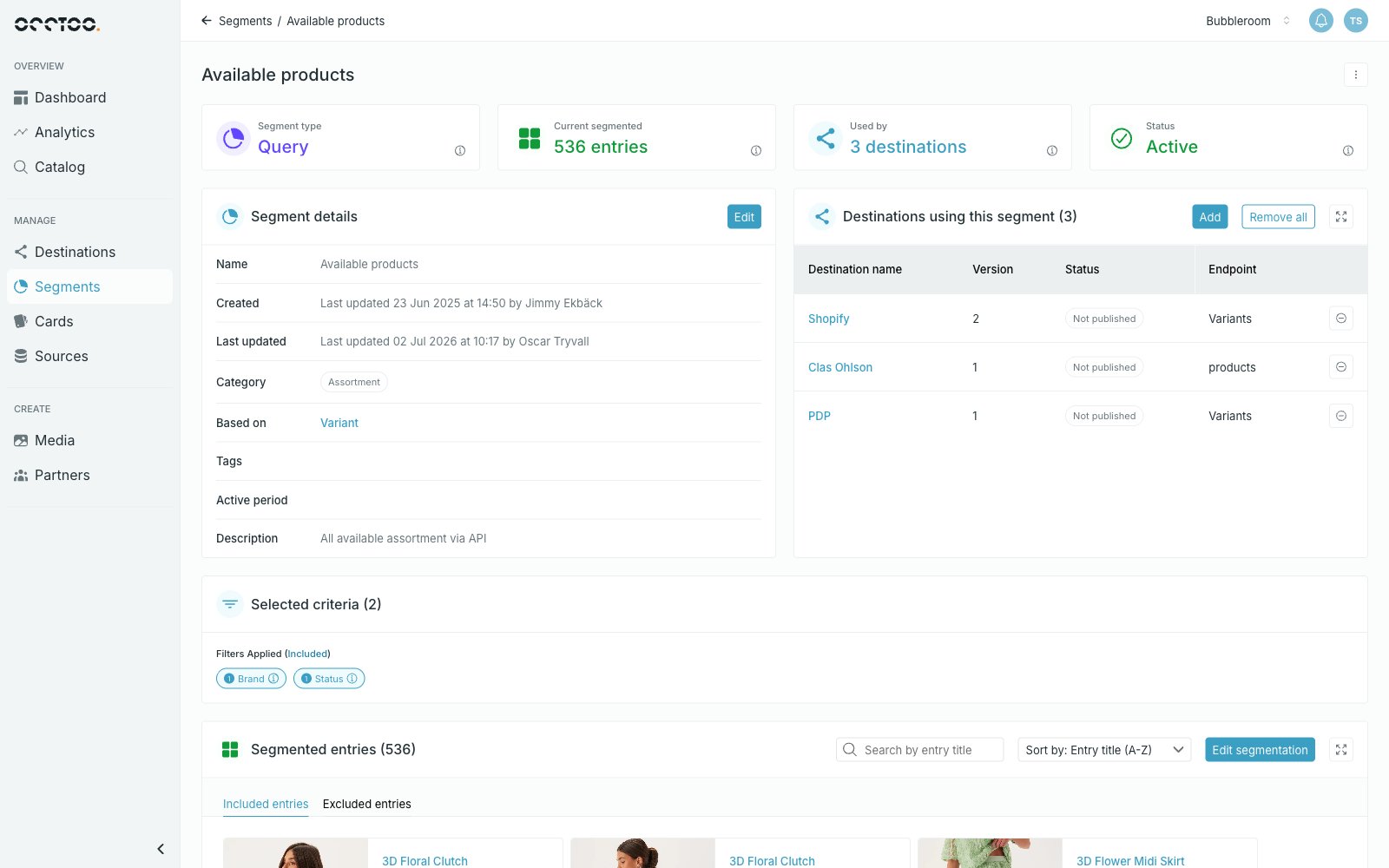 * **Search by entry title** — look for one entry by its title.
* **Sort by** — change the order of the entries, for example **Entry title (A-Z)**.
* **Included entries** and **Excluded entries** — switch between the entries in the segment and the ones you excluded from the result.
* The expand icon opens the entries in full screen, which is useful for large segments.
* **Search by entry title** — look for one entry by its title.
* **Sort by** — change the order of the entries, for example **Entry title (A-Z)**.
* **Included entries** and **Excluded entries** — switch between the entries in the segment and the ones you excluded from the result.
* The expand icon opens the entries in full screen, which is useful for large segments.
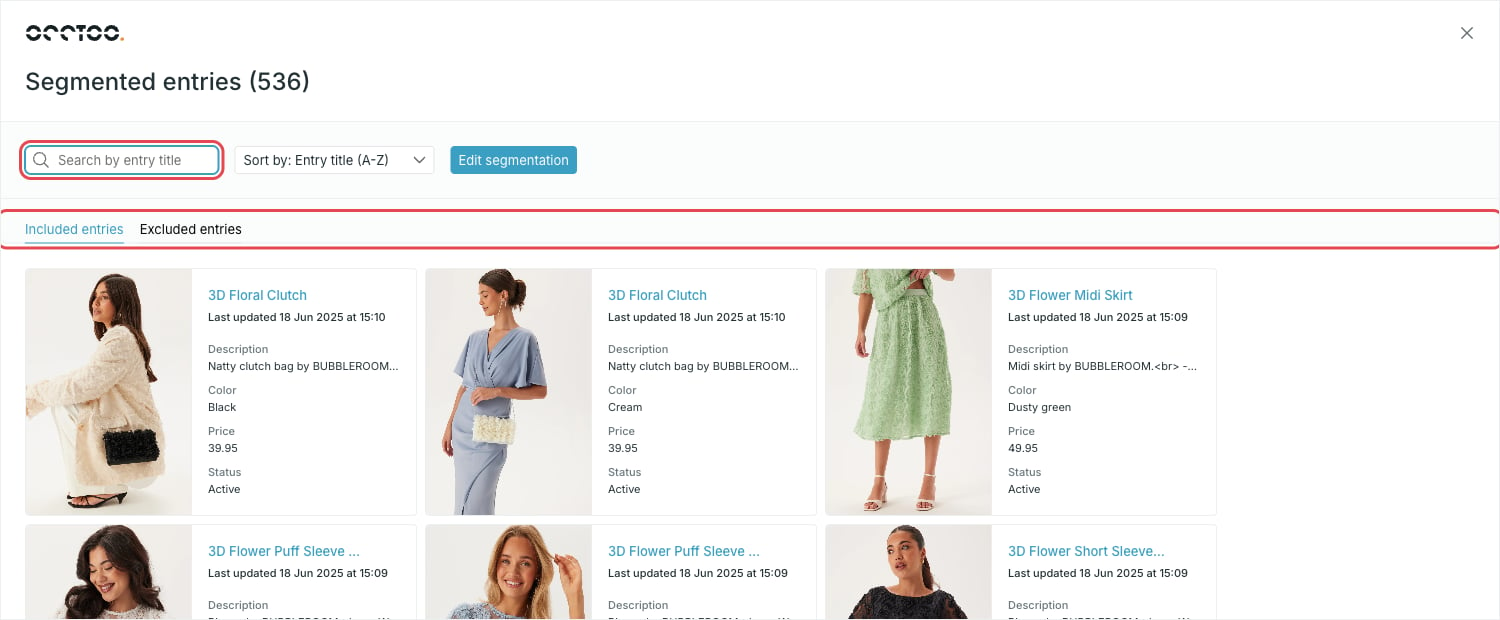 The search matches the property the card uses as its entry title — the one set with **Select as card name**. That property needs **full-text search** enabled among its source property capabilities for partial matches to work.
Select an entry to open it. The entry has four tabs: **Properties**, **Change log**, **Relations** and **Used by**.
The search matches the property the card uses as its entry title — the one set with **Select as card name**. That property needs **full-text search** enabled among its source property capabilities for partial matches to work.
Select an entry to open it. The entry has four tabs: **Properties**, **Change log**, **Relations** and **Used by**.