> ## Documentation Index
> Fetch the complete documentation index at: https://docs.occtoo.com/llms.txt
> Use this file to discover all available pages before exploring further.
# Track data usage of segments
> See what a segment is based on, how large it is and where it is used.
The segment page opens with four tiles that summarise the segment.
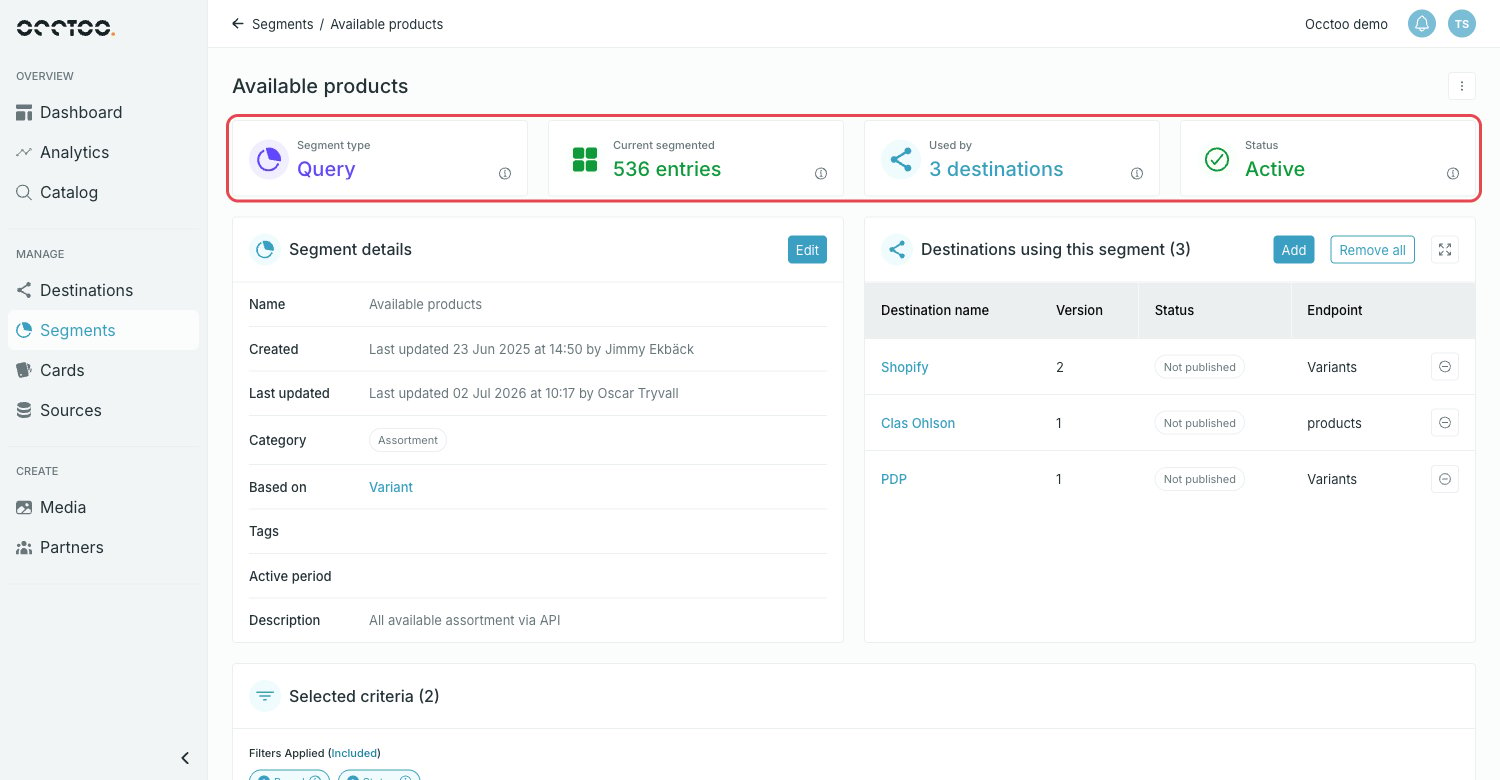 * **Segment type** — Query or Fixed.
* **Current segmented** — how many entries the segment holds right now.
* **Used by** — how many destinations consume the segment.
* **Status** — Active, Scheduled, Initializing or Archived.
Each tile has an info icon that explains what the value means for this segment.
## Segment details
The **Segment details** widget holds the metadata: name, who created it and when, who last updated it, the category, the card it is **based on**, tags, active period and description. The card name links to the card definition.
## Selected criteria
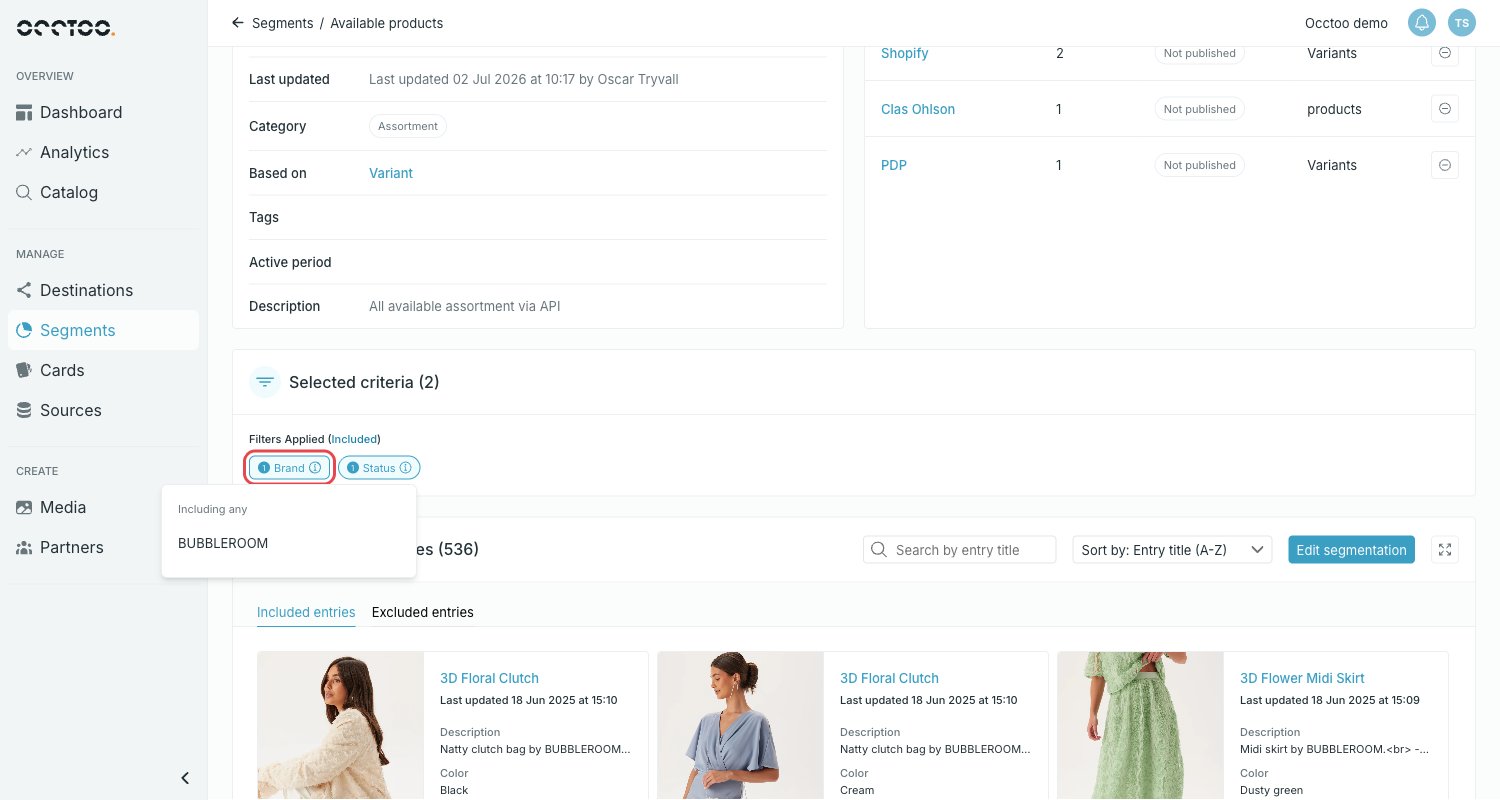
**Selected criteria** lists the filters the segment is built on. Select a chip to see the operator and the values behind it.
* **Segment type** — Query or Fixed.
* **Current segmented** — how many entries the segment holds right now.
* **Used by** — how many destinations consume the segment.
* **Status** — Active, Scheduled, Initializing or Archived.
Each tile has an info icon that explains what the value means for this segment.
## Segment details
The **Segment details** widget holds the metadata: name, who created it and when, who last updated it, the category, the card it is **based on**, tags, active period and description. The card name links to the card definition.
## Selected criteria
**Selected criteria** lists the filters the segment is built on. Select a chip to see the operator and the values behind it.
 ## Destinations using this segment
The widget lists every destination that consumes the segment, with the destination version, the publish status and the endpoint the segment sits on.
## Destinations using this segment
The widget lists every destination that consumes the segment, with the destination version, the publish status and the endpoint the segment sits on.
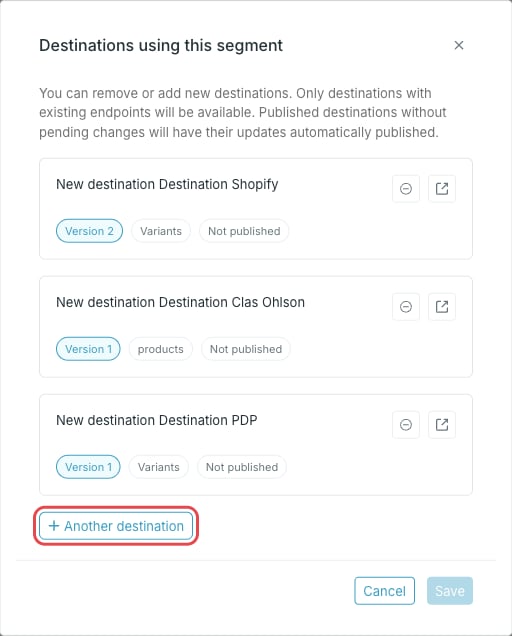 * **Add** — connect the segment to another destination, or remove it from one.
* **Remove all** — disconnect the segment from every destination.
* The minus icon on a row removes the segment from that destination.
Only destinations with existing endpoints are available. Published destinations without pending changes have their updates published automatically.
A segment that is used by a destination cannot be archived or deleted. Remove the connections first.
* **Add** — connect the segment to another destination, or remove it from one.
* **Remove all** — disconnect the segment from every destination.
* The minus icon on a row removes the segment from that destination.
Only destinations with existing endpoints are available. Published destinations without pending changes have their updates published automatically.
A segment that is used by a destination cannot be archived or deleted. Remove the connections first.