> ## Documentation Index
> Fetch the complete documentation index at: https://docs.occtoo.com/llms.txt
> Use this file to discover all available pages before exploring further.
# Users and roles
> Invite people to the tenant, and what each role is allowed to do.
**Settings → User Management** lists everyone with access to the tenant, the role each one holds, whether their invitation is still pending, and when they last signed in.
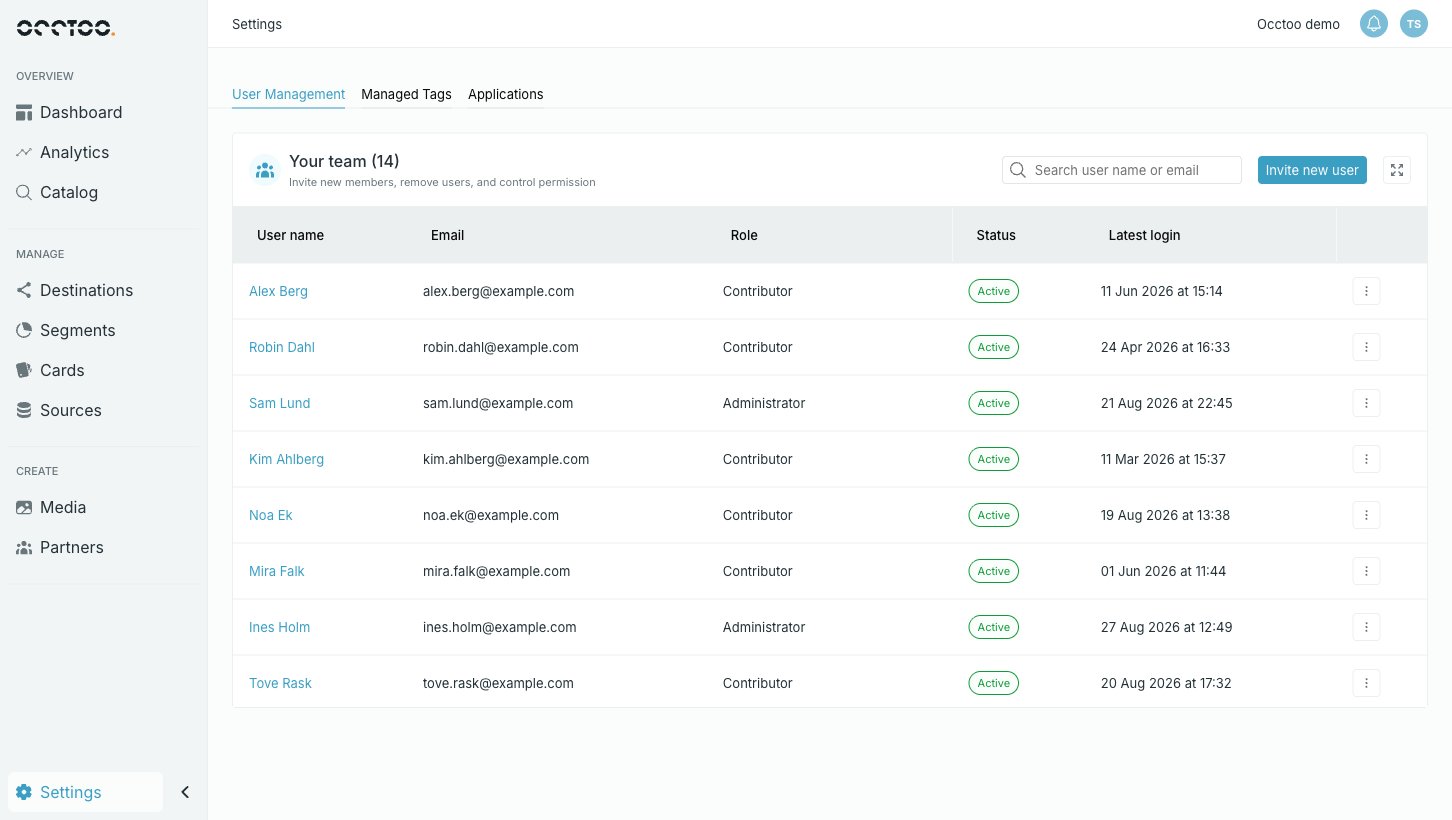 Use **Search user name or email** to find someone in a long list.
## The roles
A user holds one role, and that role decides what they can do everywhere in Studio. There is no per-module or per-card permission to configure — pick the role and you are done.
Use **Search user name or email** to find someone in a long list.
## The roles
A user holds one role, and that role decides what they can do everywhere in Studio. There is no per-module or per-card permission to configure — pick the role and you are done.
 | Role | Can |
| ----------------- | ---------------------------------------------------------------------------------------------------------------------- |
| **Reader** | Read everything. No control that changes data is available. |
| **Contributor** | Everything a **Reader** can, plus create, edit and delete — sources, cards, segments, entries, media and destinations. |
| **Administrator** | Everything a **Contributor** can, plus manage the team: invite people, change roles and remove users. |
| **Data Provider** | A narrow role for integrations rather than people: import data into a data source and manage media files. |
The three general roles stack, so you only need to decide how far up someone should sit:
**Reader** → **Contributor** → **Administrator**
Throughout these guides, "needs the **Contributor** role" means **Contributor** or **Administrator**. A **Reader** sees the same screens and the same data — the controls that would change something are disabled, and their tooltip says the action is not available for your role.
## Invite someone
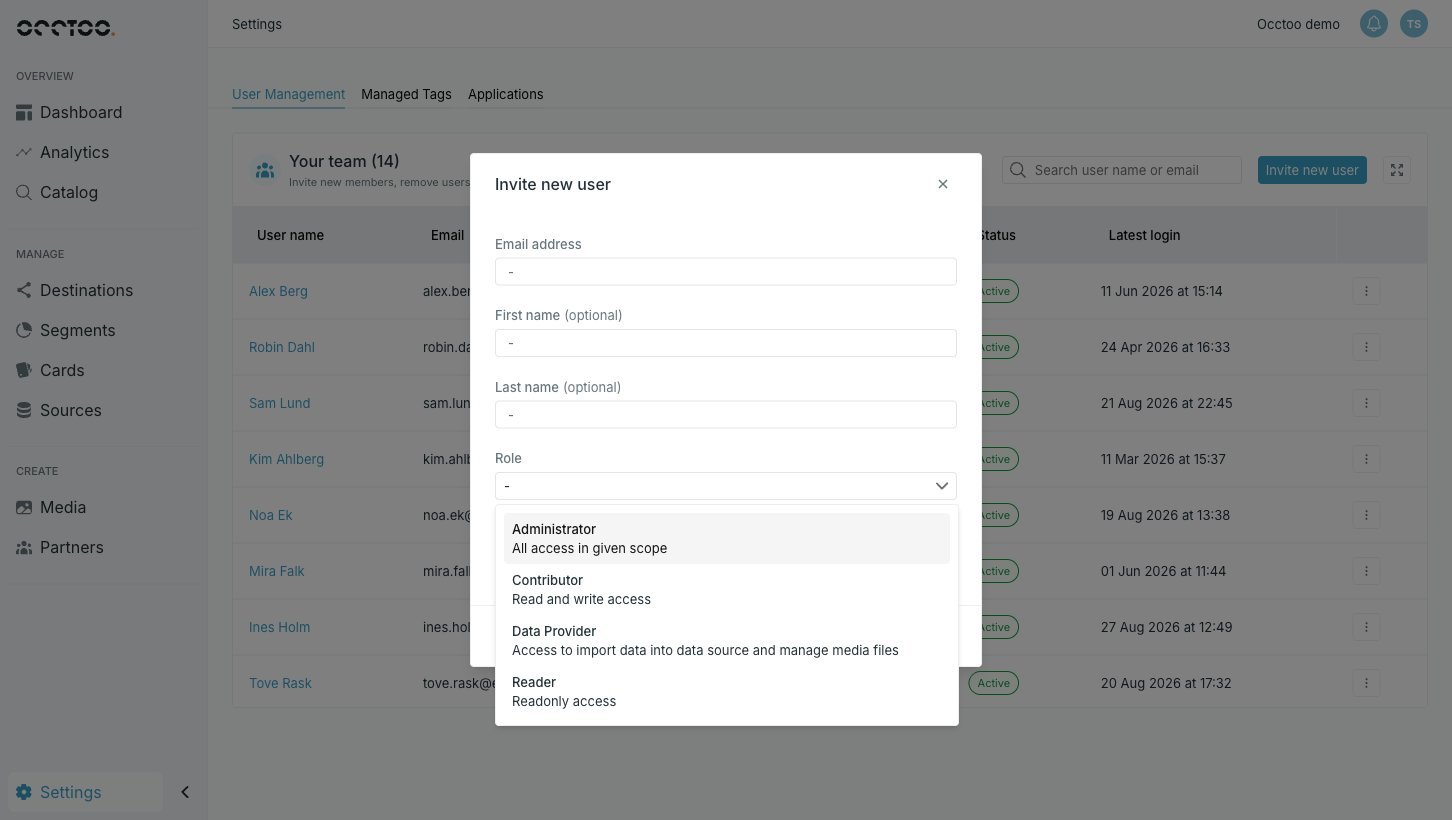
Fill in the email address. First and last name are optional — if you leave them out, the person fills them in when they accept.
Each role in the list carries a one-line summary of what it grants.
The person receives an email with instructions to join. Until they accept, they are listed with a **Pending** status.
## Change a role, or remove someone
The menu at the end of a user's row holds the actions:
* **Update user role** — swap the role. The change applies to that person's next action; they do not need a new invitation.
* **Resend invitation** — only on users who have not accepted yet.
* **Remove user** — revokes access to this tenant.
You cannot change your own role or remove your own account. Both actions are disabled on your own row, so an Administrator cannot accidentally lock themselves out — ask another Administrator instead.
Everything on this tab needs the **Administrator** role. Other roles do not see **Settings → User Management** at all, and opening its address directly lands on the access-denied page.
| Role | Can |
| ----------------- | ---------------------------------------------------------------------------------------------------------------------- |
| **Reader** | Read everything. No control that changes data is available. |
| **Contributor** | Everything a **Reader** can, plus create, edit and delete — sources, cards, segments, entries, media and destinations. |
| **Administrator** | Everything a **Contributor** can, plus manage the team: invite people, change roles and remove users. |
| **Data Provider** | A narrow role for integrations rather than people: import data into a data source and manage media files. |
The three general roles stack, so you only need to decide how far up someone should sit:
**Reader** → **Contributor** → **Administrator**
Throughout these guides, "needs the **Contributor** role" means **Contributor** or **Administrator**. A **Reader** sees the same screens and the same data — the controls that would change something are disabled, and their tooltip says the action is not available for your role.
## Invite someone
Fill in the email address. First and last name are optional — if you leave them out, the person fills them in when they accept.
Each role in the list carries a one-line summary of what it grants.
The person receives an email with instructions to join. Until they accept, they are listed with a **Pending** status.
## Change a role, or remove someone
The menu at the end of a user's row holds the actions:
* **Update user role** — swap the role. The change applies to that person's next action; they do not need a new invitation.
* **Resend invitation** — only on users who have not accepted yet.
* **Remove user** — revokes access to this tenant.
You cannot change your own role or remove your own account. Both actions are disabled on your own row, so an Administrator cannot accidentally lock themselves out — ask another Administrator instead.
Everything on this tab needs the **Administrator** role. Other roles do not see **Settings → User Management** at all, and opening its address directly lands on the access-denied page.