> ## Documentation Index
> Fetch the complete documentation index at: https://docs.occtoo.com/llms.txt
> Use this file to discover all available pages before exploring further.
# Delete a property
> Remove a source property and its values from every entry.
Open the source and find the row in the **Properties** widget. The remove icon is the second button on the row.
It is disabled while a card uses the property, and while the property is not **Active**.
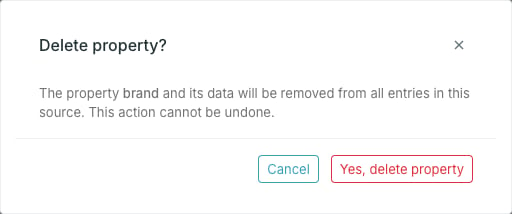 The dialog names the property and warns that its data will be removed from every entry in the source.
The property shows status **Deleting** until the removal finishes.
Deleting a property removes its values from every entry in the source, not
just the property itself. If the data came from an integration, the property
will reappear the next time an ingest run sends it — but the old values are
gone.
## When delete stays disabled
Only live cards block a deletion, so the remove icon lines up with what the **Used by** column shows: a property listing cards there cannot be deleted, and one showing `—` can. References from cards that have since been deleted do not count.
The dialog names the property and warns that its data will be removed from every entry in the source.
The property shows status **Deleting** until the removal finishes.
Deleting a property removes its values from every entry in the source, not
just the property itself. If the data came from an integration, the property
will reappear the next time an ingest run sends it — but the old values are
gone.
## When delete stays disabled
Only live cards block a deletion, so the remove icon lines up with what the **Used by** column shows: a property listing cards there cannot be deleted, and one showing `—` can. References from cards that have since been deleted do not count.