> ## Documentation Index
> Fetch the complete documentation index at: https://docs.occtoo.com/llms.txt
> Use this file to discover all available pages before exploring further.
# commercetools
## Introduction
Occtoo provides a pre-built formatter that transfers product, variant, category, and attribute data from Occtoo to commercetools.
Changes are propagated automatically, and the configuration options make it easy to tailor the integration to your needs.
Occtoo Studio gives you full control over what is transferred: use segments to select the content, and choose which languages and attributes to include.
## About commercetools
commercetools is a cloud-based headless commerce platform that provides APIs to power e-commerce sales and similar functions for large businesses.
Read more at [commercetools.com](https://commercetools.com).
## Data flow
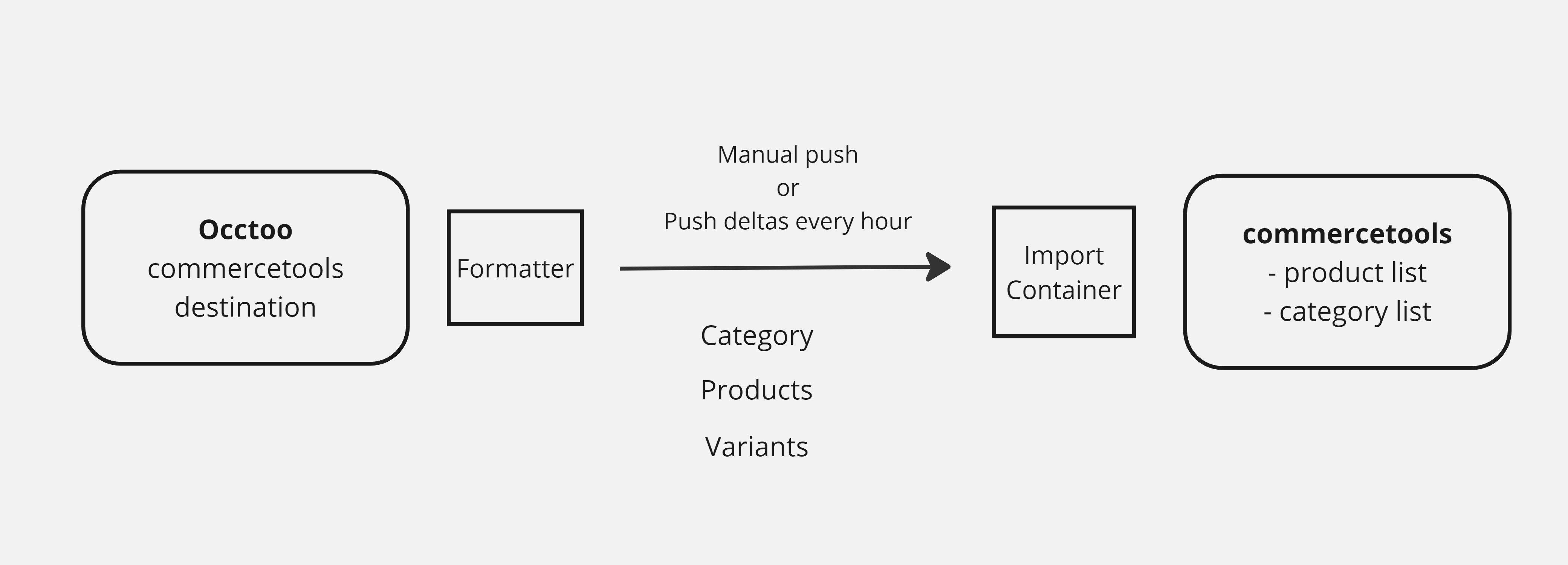
The data exposed by an Occtoo destination is transferred by the formatter and pushed to an import container in commercetools. The product flow is mandatory; the category flow is optional.
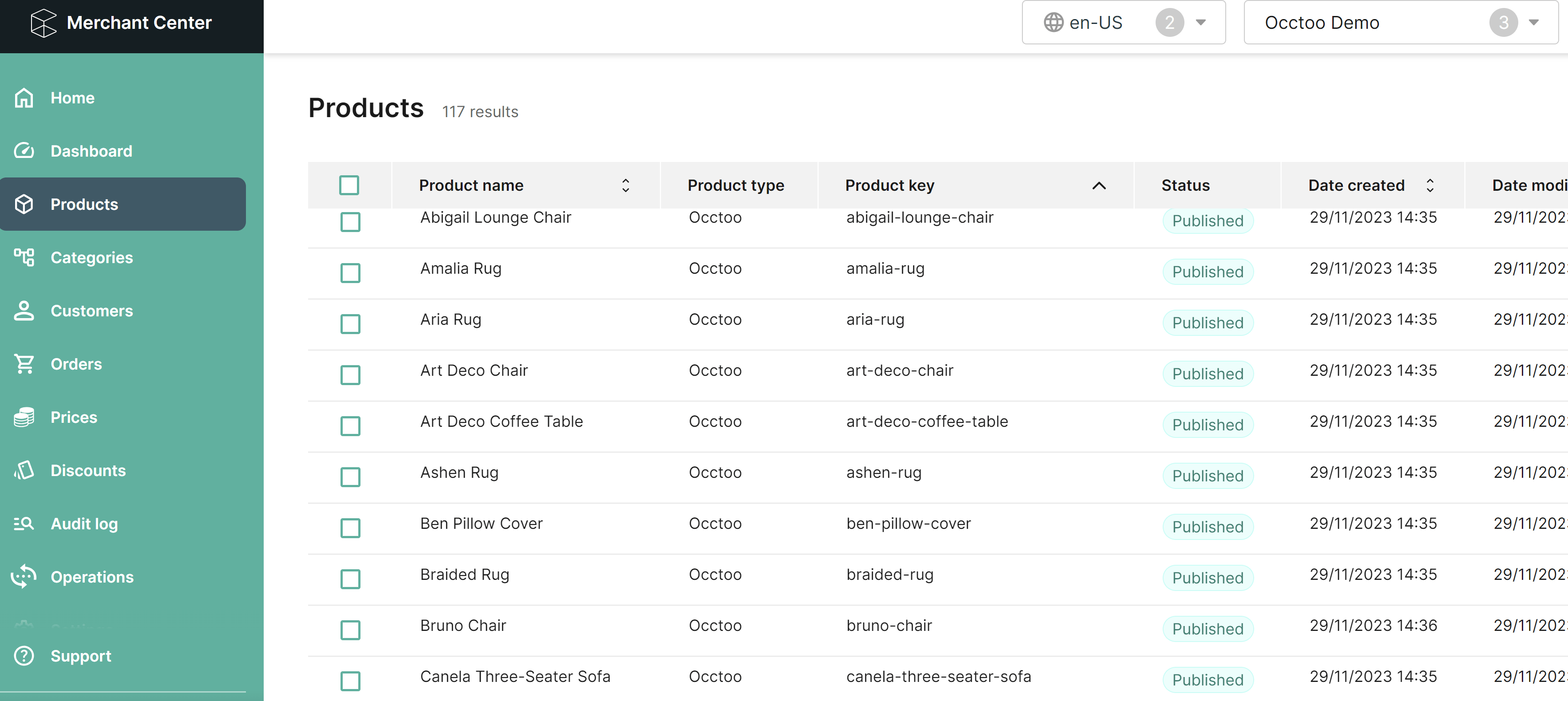
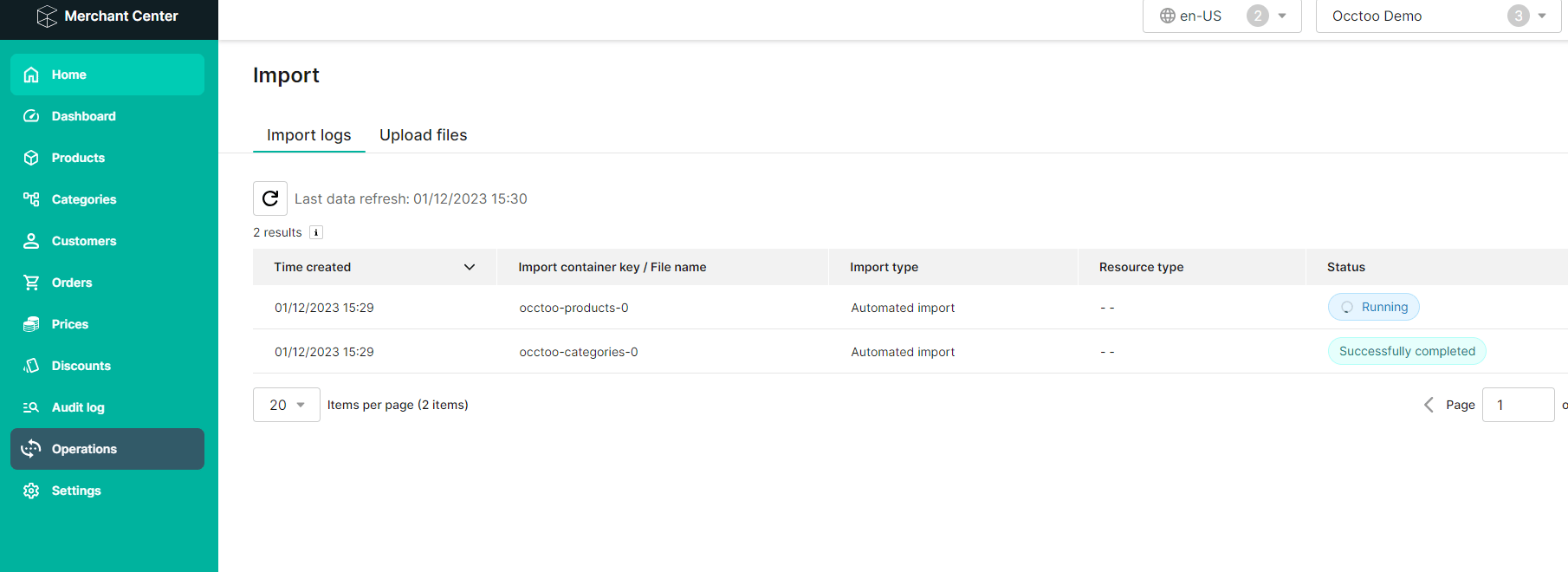
The formatter runs every hour and checks for deltas, which are then sent to commercetools. You can also trigger a full run manually when needed. Updates are pushed to a commercetools import container, which imports them asynchronously so that large numbers of updates can be processed. You can follow the progress of an import in the Merchant Center.
 ## Installation and setup
### Prerequisites
* Access to the commercetools Merchant Center
* Access to the source code
### Get the code
Request the code from [developer@occtoo.com](mailto:developer@occtoo.com).
### Register an API client in commercetools
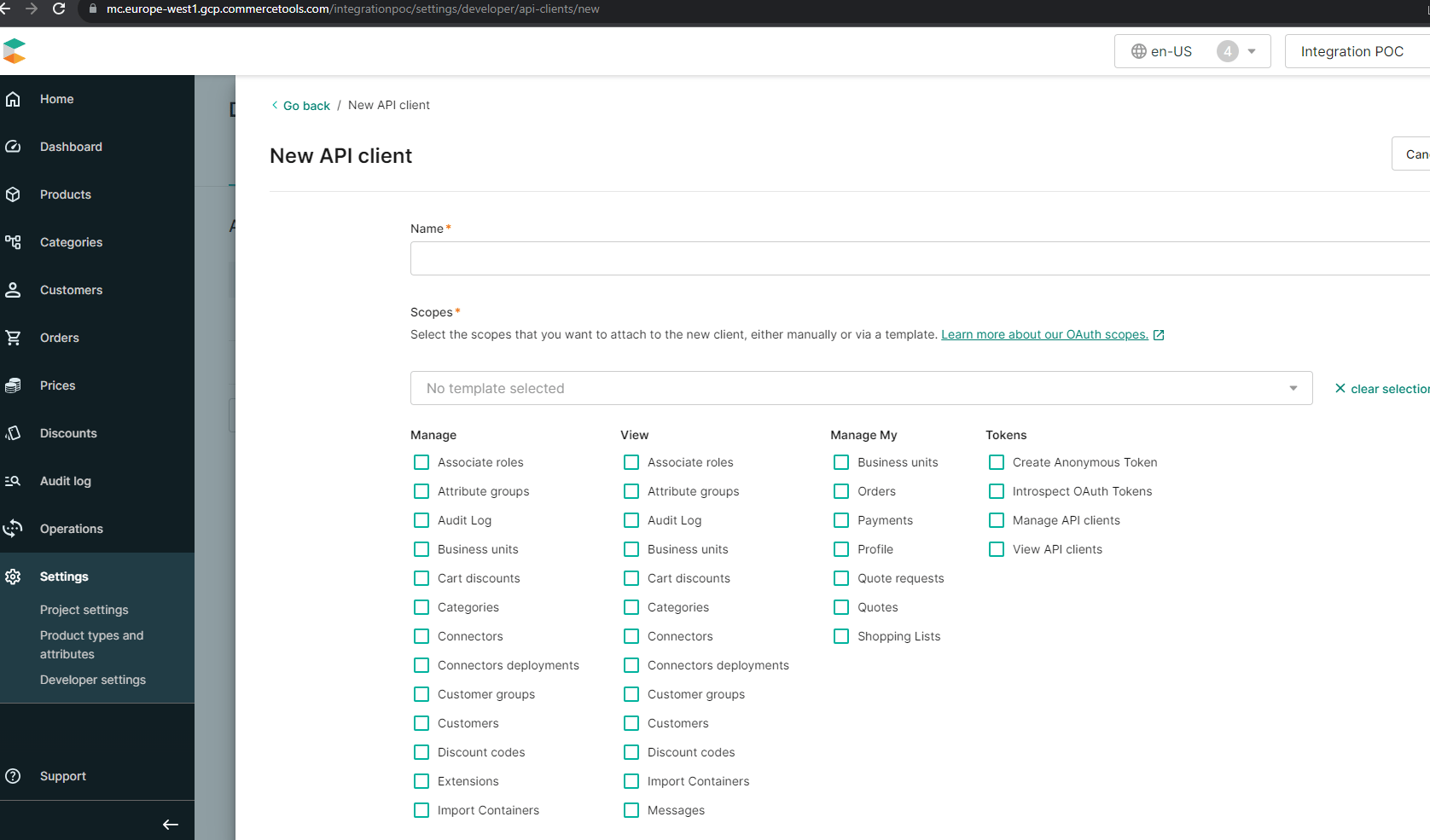
Register an API client in commercetools by going to **Settings > Developer settings** and selecting **Create new API client**. Make sure to select the scopes required by the formatter, then copy all the values shown in the API client details — they are only displayed once.
Add the values to the following formatter settings:
* `CommercetoolsImportClient__ClientId`
* `CommercetoolsImportClient__ClientSecret`
* `CommercetoolsImportClient__AuthorizationBaseAddress`
* `CommercetoolsImportClient__Scope`
* `CommercetoolsImportClient__ProjectKey`
* `CommercetoolsImportClient__ApiBaseAddress`
The values for `CommercetoolsImportClient__AuthorizationBaseAddress` and `CommercetoolsImportClient__ApiBaseAddress` must end with a slash (`/`).
## Installation and setup
### Prerequisites
* Access to the commercetools Merchant Center
* Access to the source code
### Get the code
Request the code from [developer@occtoo.com](mailto:developer@occtoo.com).
### Register an API client in commercetools
Register an API client in commercetools by going to **Settings > Developer settings** and selecting **Create new API client**. Make sure to select the scopes required by the formatter, then copy all the values shown in the API client details — they are only displayed once.
Add the values to the following formatter settings:
* `CommercetoolsImportClient__ClientId`
* `CommercetoolsImportClient__ClientSecret`
* `CommercetoolsImportClient__AuthorizationBaseAddress`
* `CommercetoolsImportClient__Scope`
* `CommercetoolsImportClient__ProjectKey`
* `CommercetoolsImportClient__ApiBaseAddress`
The values for `CommercetoolsImportClient__AuthorizationBaseAddress` and `CommercetoolsImportClient__ApiBaseAddress` must end with a slash (`/`).
 ### Endpoints
#### Products
The product flow is mandatory, so you need to provide an endpoint for product and product variant data. Add the URL of the product endpoint to the following setting:
* `DestinationSettings__ProductUrl`
The endpoint must expose these properties:
* productName — Localized text
* productSlug — Localized text
* productId — Text
The following properties are recommended:
* productCategories — List
* sku — Text
* productDescription — Text
* productType — Text
* productMetaTitle — Localized text
* productKeywords — Localized text
* isMasterVariant — Boolean
### Endpoints
#### Products
The product flow is mandatory, so you need to provide an endpoint for product and product variant data. Add the URL of the product endpoint to the following setting:
* `DestinationSettings__ProductUrl`
The endpoint must expose these properties:
* productName — Localized text
* productSlug — Localized text
* productId — Text
The following properties are recommended:
* productCategories — List
* sku — Text
* productDescription — Text
* productType — Text
* productMetaTitle — Localized text
* productKeywords — Localized text
* isMasterVariant — Boolean
 #### Categories
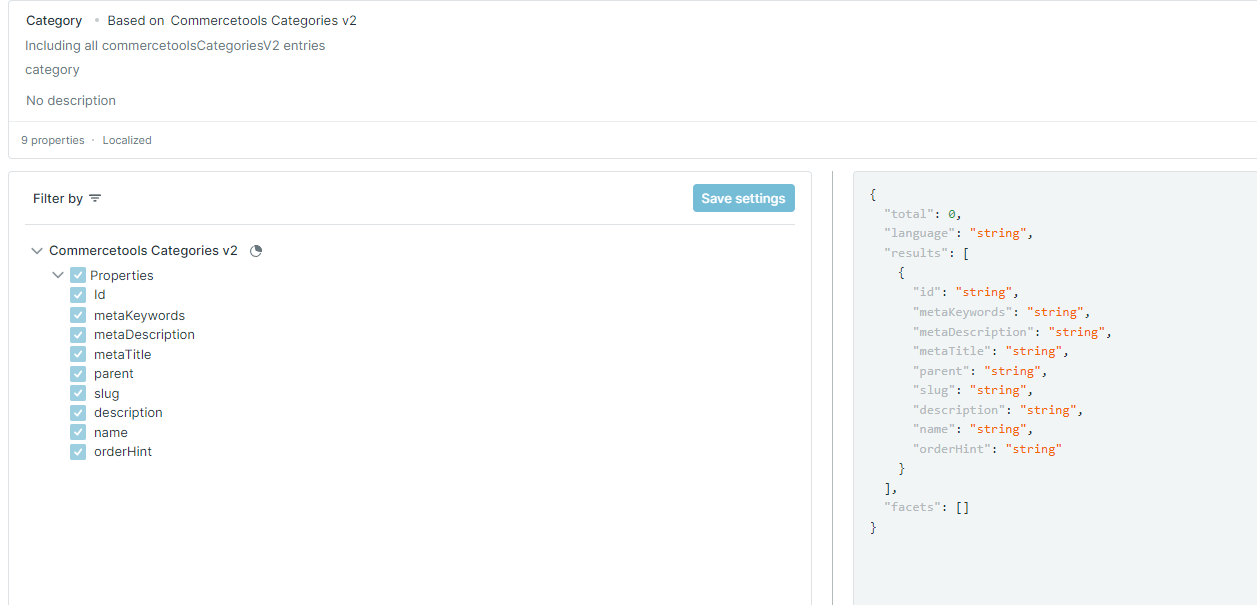
The category flow is optional and requires a separate endpoint for the categories. If you use it, add the URL to the following setting:
* `DestinationSettings__CategoriesUrl`
If you omit this setting, no category data is transferred. The endpoint must expose these properties:
* name — Localized text
* slug — Localized text
The following properties are recommended:
* description — Localized text
* parent — Text
* externalId — Text
* metaTitle — Localized text
* metaDescription — Localized text
* metaKeywords — Localized text
* orderHint — Text
The value of orderHint must be between 0 and 1.
#### Categories
The category flow is optional and requires a separate endpoint for the categories. If you use it, add the URL to the following setting:
* `DestinationSettings__CategoriesUrl`
If you omit this setting, no category data is transferred. The endpoint must expose these properties:
* name — Localized text
* slug — Localized text
The following properties are recommended:
* description — Localized text
* parent — Text
* externalId — Text
* metaTitle — Localized text
* metaDescription — Localized text
* metaKeywords — Localized text
* orderHint — Text
The value of orderHint must be between 0 and 1.
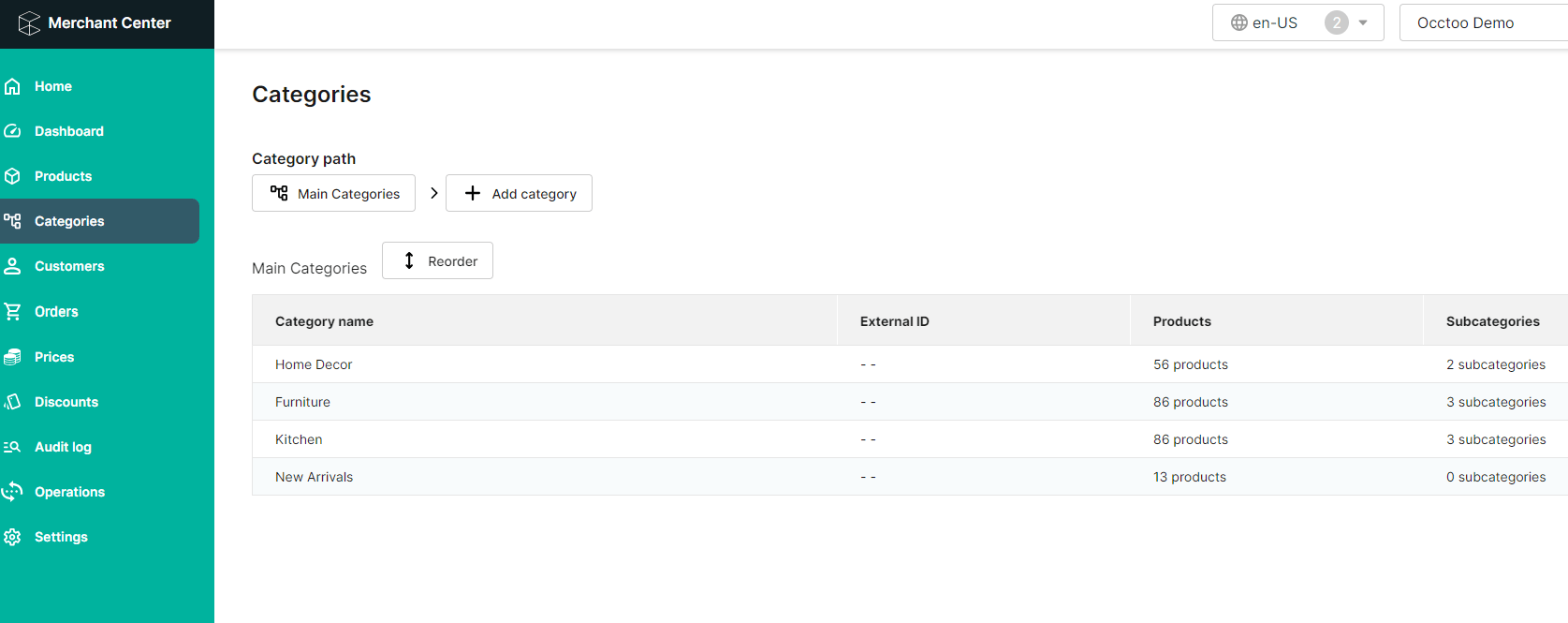 ### Register an application in Occtoo
[Register an application](/guides/studio/destinations/register-an-application) in Occtoo Studio and save its credentials in the configuration file for the formatter. Add the following settings:
* `ApiClientCredentials__ClientId`
* `ApiClientCredentials__ClientSecret`
* `ApiClientCredentials__TokenAuthUrl`
### Register an application in Occtoo
[Register an application](/guides/studio/destinations/register-an-application) in Occtoo Studio and save its credentials in the configuration file for the formatter. Add the following settings:
* `ApiClientCredentials__ClientId`
* `ApiClientCredentials__ClientSecret`
* `ApiClientCredentials__TokenAuthUrl`
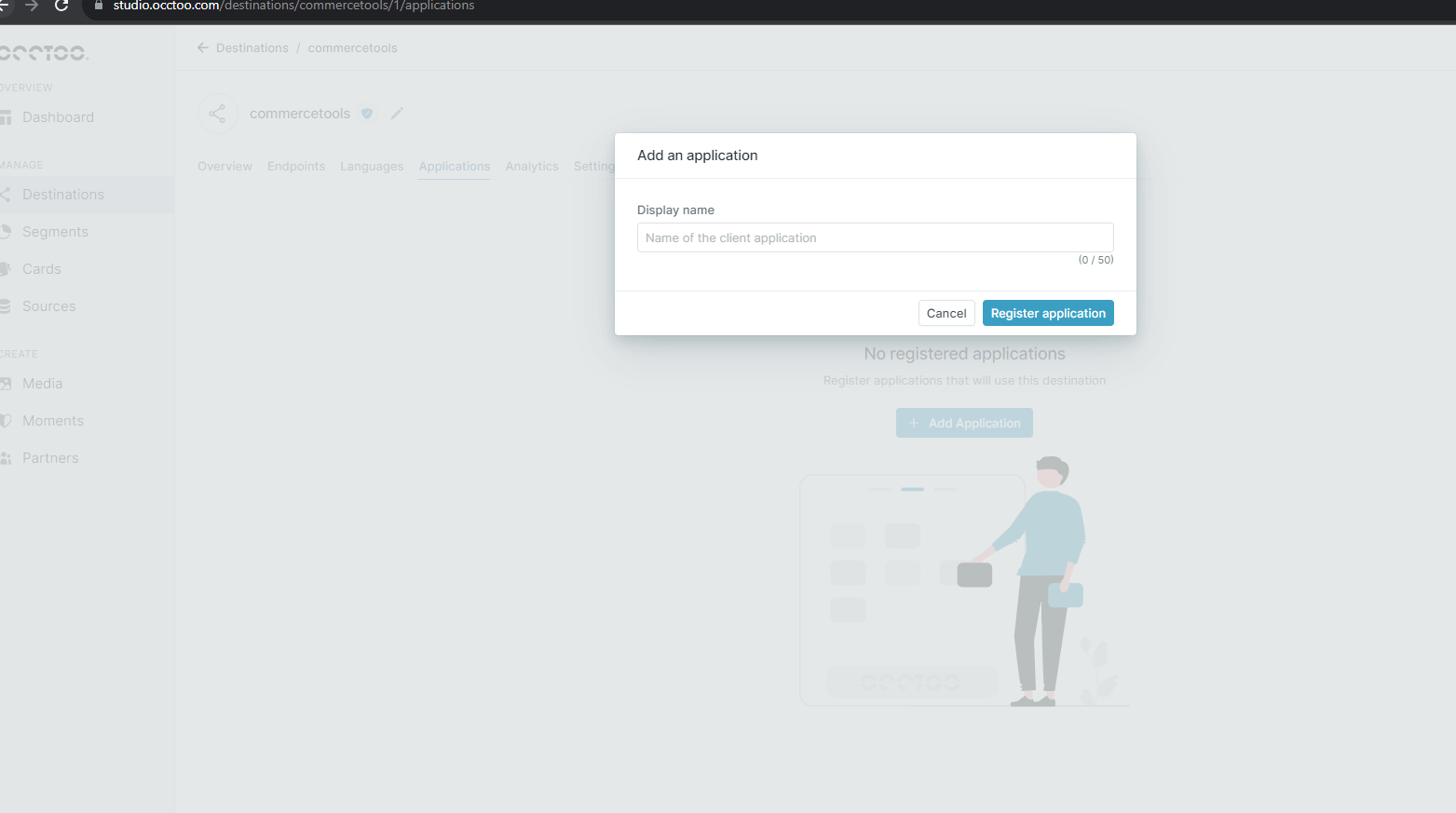 ### Product type
Create a product type in commercetools to assign to all products, then add its name to the `CommercetoolsSettings__ProductTypeName` setting in the configuration file for the formatter.
### Product type
Create a product type in commercetools to assign to all products, then add its name to the `CommercetoolsSettings__ProductTypeName` setting in the configuration file for the formatter.
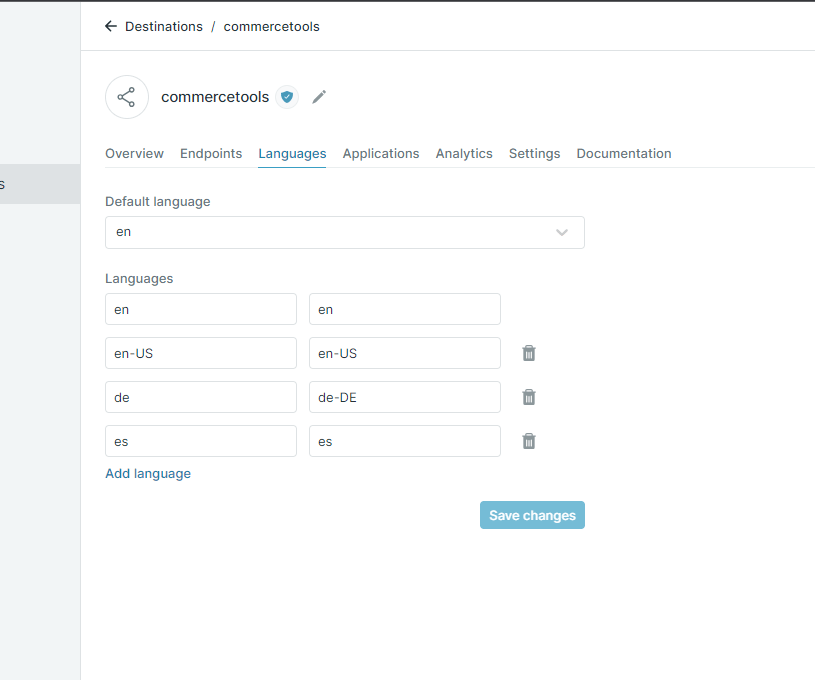
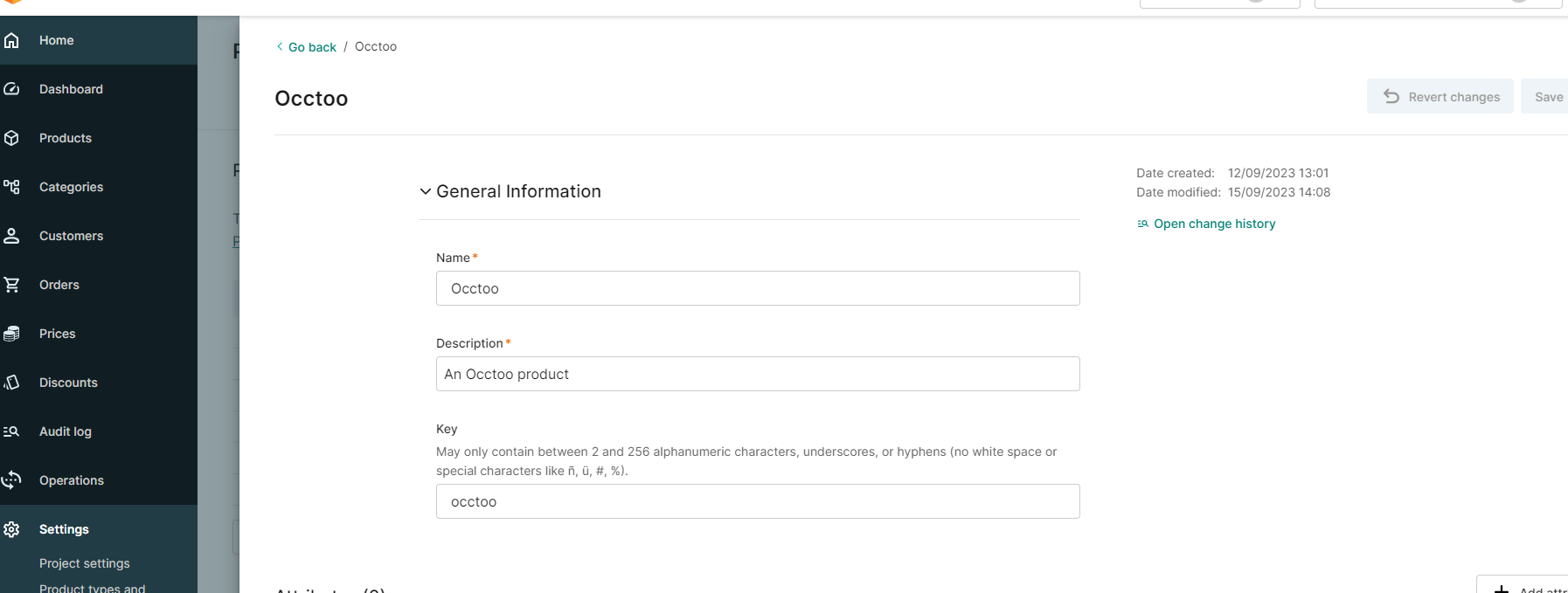 ### Languages
The languages configured for the destination should match the languages configured in the Merchant Center. Add the list of outbound languages to the configuration file for the formatter, with one row per language. For example:
```json theme={null}
"CommercetoolsSettings__Languages__[0]": "en",
"CommercetoolsSettings__Languages__[1]": "en-US",
"CommercetoolsSettings__Languages__[2]": "de-DE"
```
### Languages
The languages configured for the destination should match the languages configured in the Merchant Center. Add the list of outbound languages to the configuration file for the formatter, with one row per language. For example:
```json theme={null}
"CommercetoolsSettings__Languages__[0]": "en",
"CommercetoolsSettings__Languages__[1]": "en-US",
"CommercetoolsSettings__Languages__[2]": "de-DE"
```
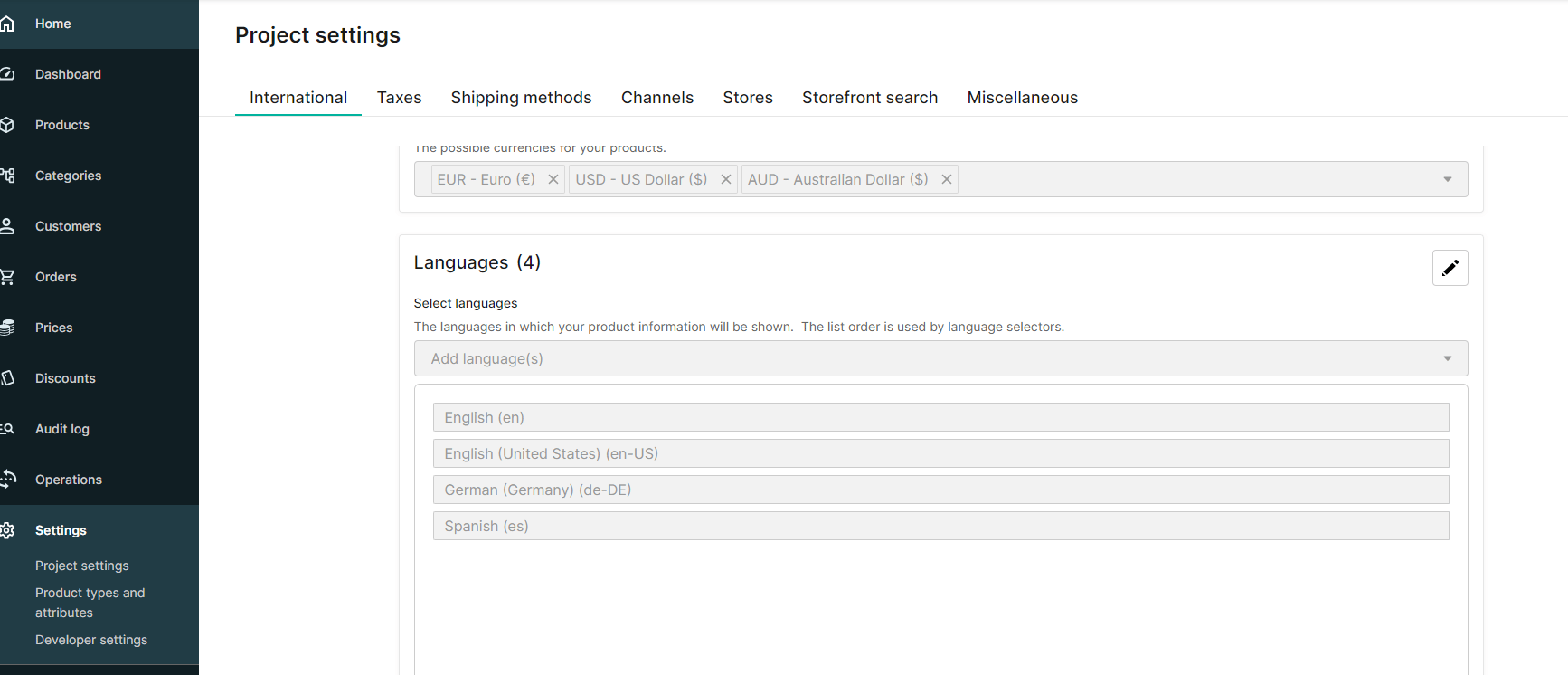
 ### Import container
Import containers are created automatically and can be viewed in the Merchant Center. Use them to follow ongoing imports and to get information about any failures.
### Import container
Import containers are created automatically and can be viewed in the Merchant Center. Use them to follow ongoing imports and to get information about any failures.
 ### Attributes
Create the attributes in commercetools under the product type specified in the previous step, and set each attribute key to match the property identifier in Occtoo. For list values in commercetools, the values must be predefined before they can be used.
Add the attributes you want to transfer to the configuration file for the formatter and specify the commercetools attribute type for each one. For example:
```json theme={null}
"CommercetoolsSettings__AttributeDictionary__WashingTemperature": "Number",
"CommercetoolsSettings__AttributeDictionary__IsWashable": "Boolean",
"CommercetoolsSettings__AttributeDictionary__DetailedDescription": "LocalizedText",
"CommercetoolsSettings__AttributeDictionary__Color": "EnumList"
```
The supported attribute types are:
* Boolean
* Text
* LocalizedText
* Number
* DateTime
* Date
* Time
* EnumList
* LocalizedList
### Product publishing
To publish products or product variants automatically when they are transferred to commercetools, set either of these settings to `true`:
* `CommercetoolsSettings__PublishProducts`
* `CommercetoolsSettings__PublishProductVariants`
### Manual execution
To run the flow manually, use the following POST endpoint:
```
https://[root-url]/api/ManualDataTransfer
```
The request body is a JSON object with a `LastRunTime` parameter, which specifies the point in time the delta is calculated from. For a full synchronization, set it to a very early date.
```json theme={null}
{
"LastRunTime": "2000-01-01T00:00:00.000Z"
}
```
### Attributes
Create the attributes in commercetools under the product type specified in the previous step, and set each attribute key to match the property identifier in Occtoo. For list values in commercetools, the values must be predefined before they can be used.
Add the attributes you want to transfer to the configuration file for the formatter and specify the commercetools attribute type for each one. For example:
```json theme={null}
"CommercetoolsSettings__AttributeDictionary__WashingTemperature": "Number",
"CommercetoolsSettings__AttributeDictionary__IsWashable": "Boolean",
"CommercetoolsSettings__AttributeDictionary__DetailedDescription": "LocalizedText",
"CommercetoolsSettings__AttributeDictionary__Color": "EnumList"
```
The supported attribute types are:
* Boolean
* Text
* LocalizedText
* Number
* DateTime
* Date
* Time
* EnumList
* LocalizedList
### Product publishing
To publish products or product variants automatically when they are transferred to commercetools, set either of these settings to `true`:
* `CommercetoolsSettings__PublishProducts`
* `CommercetoolsSettings__PublishProductVariants`
### Manual execution
To run the flow manually, use the following POST endpoint:
```
https://[root-url]/api/ManualDataTransfer
```
The request body is a JSON object with a `LastRunTime` parameter, which specifies the point in time the delta is calculated from. For a full synchronization, set it to a very early date.
```json theme={null}
{
"LastRunTime": "2000-01-01T00:00:00.000Z"
}
```