

mcp.occtoo.com, exposes the platform over the Model Context Protocol, the open standard for connecting AI assistants and agents to external systems. Once connected, an MCP-aware client — Claude, an IDE assistant, or your own agent — can query and manage your Occtoo tenant through a set of typed tools instead of hand-writing REST calls.
Tool names, parameters, and the set of available capabilities may change between releases. Treat the server’s own tools listing as the authoritative contract (see Tool Reference) and pin to a known-good configuration for anything you automate.
What it is good for
The MCP server is the fastest way to let an assistant work against your tenant rather than just about it. Typical uses for a superuser:- Ask, in natural language, what entries exist in a source and inspect their properties without building a destination first.
- Push a batch of data into a source during onboarding or a fix-up, then confirm it landed.
- Audit which destinations exist, what they expose, and trace an entry through its lifecycle when something looks wrong.
- Let an agent chain these steps — read, reason, write, verify — inside one session.
Capabilities
The server exposes tools across the whole platform surface:Before you begin
You will need:- Studio access to the tenant you want to connect, with a role that covers the work you intend to do. The session acts with your Studio permissions.
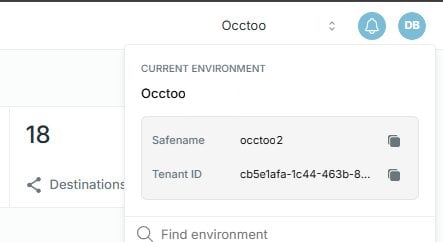
- Your tenant safename, which identifies the tenant you want to connect to.
- An MCP-capable client — for example Claude Desktop, an MCP-enabled IDE, or a custom agent built on an MCP SDK.
Set up
1. Configure your client
In your MCP client, add the Occtoo server and set its URL tohttps://mcp.occtoo.com/{safename}/mcp, replacing {safename} with your tenant safename. For example, a tenant with the safename contoso-retail connects to:
2. Authenticate
The first time the client connects, the server starts an authentication flow that asks you to log into Studio. Complete the login in the browser window the client opens; once you have signed in, the session is authorized to act on your tenant. No API key or secret is configured in the client — authorization comes from your Studio login.3. Discover the tools
On connection, the server advertises its available tools via the standard MCP tools listing. Ask your client to list tools (or inspect the listing programmatically) to see the exact tool names and parameter schemas for the version you are connected to. This listing — not this page — is the source of truth for what is callable right now.Tool reference
The tools below are grouped by what they do. Read-only tools are safe to call freely; write tools (marked) create, change, or delete configuration and data, so confirm intent before calling them. Many write operations follow a draft → create pattern. Thedraft_* tools are read-only: they take your inputs, normalize them, and return a pre-filled review form for a human to confirm, then submit to the matching create_* tool. Prefer the draft_* tool when a person is in the loop; call create_* directly only for scripted or unattended flows.
Discovery
Data sources and schema
Entries and history
Cards, relations, and tags
Segments
Destinations, API versions, and endpoints
Metrics
This catalogue reflects the tools available at time of writing. The server’s own tools listing is always authoritative for the exact tools, names, and parameters available to you.
How an agent should use it
The same discipline that applies to the Ingest and Destination APIs applies through MCP:- Discover before acting. List tools and read their schemas first. Inspect a source’s properties before importing into it, so your payload matches the expected keys.
- Read, then write, then verify. After an import, query the affected entries back to confirm they landed rather than assuming success. Use the entry-lifecycle tools to check how a record propagated.
- Respect ingest rules. Imports go through the same validation as the Ingest API — strict key and character rules, and whole-payload rejection on any violation. Validate before sending.
- Scope tightly. The session acts with your Studio permissions, so sign in with an account that has the narrowest role that gets the job done.
- Keep changes small and reversible. Prefer incremental imports you can verify over large blind writes.