

1
Select the partner
- To create a new user for a Partner, first select the Partner that the user belongs to.
2
Open the Users view
Change the view from ‘Overview’ to ‘Users’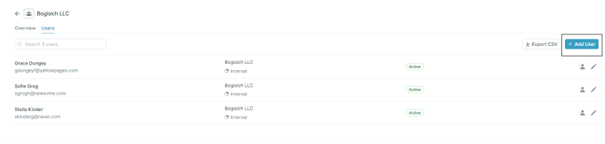
3
Press '+Add user'
Next step is to press ‘+Add user’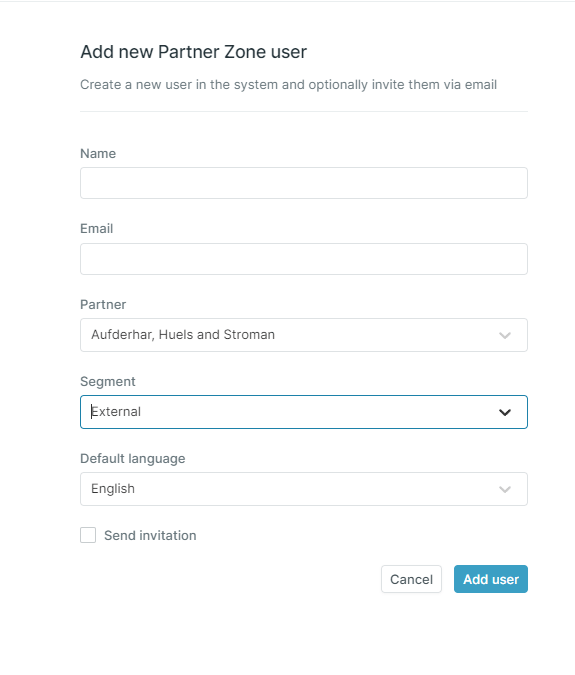
4
Specify the user details
Specify the following before adding the new user:
- Name - Register the user’s first and last name.
- Email - Register the user’s email.
- Partner - Choose the Partner the user belongs to.
- Segment - Choose the right level of access which shall be visible to that user.
- Default language - Choose the default language used by the user.