

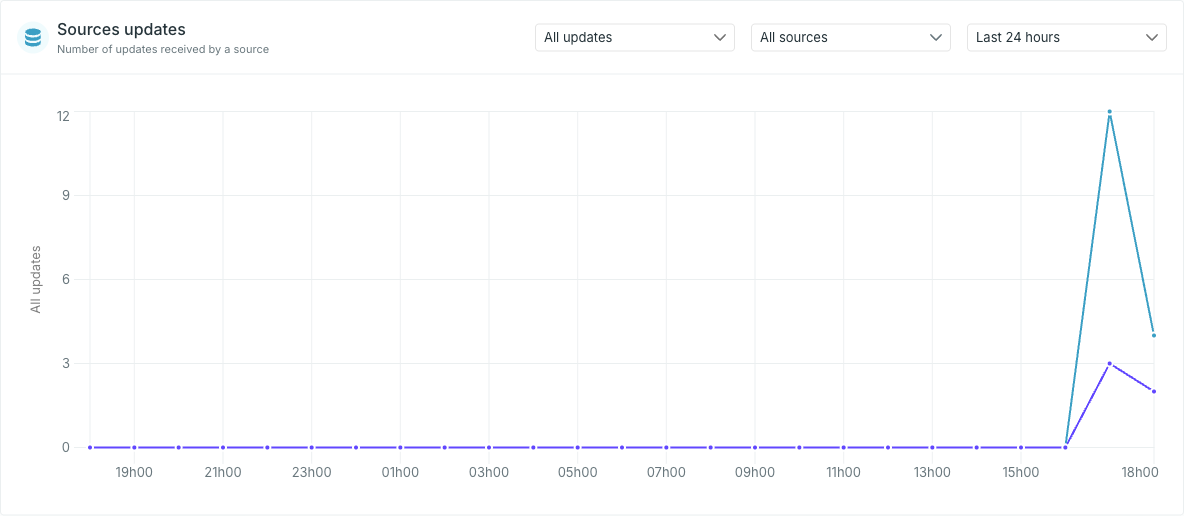
Filter what is counted
Both boards carry the same three selectors.Update type
Not every update changes data. An integration that re-sends an unchanged row produces a no-op — Occtoo accepted the message and found nothing to change. Counting those alongside real changes makes a feed look busier than it is.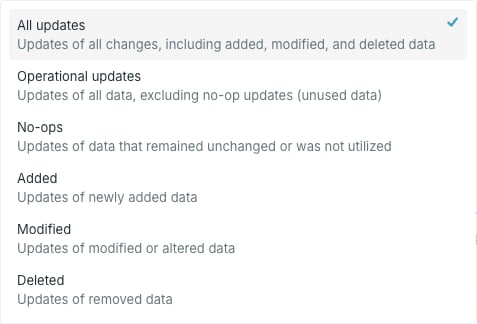
A high No-ops count is not an error — it usually means an integration re-sends its full set on a schedule. Compare Operational updates against All updates to see how much of a feed is doing real work.
Source or provider
The middle selector narrows the board to one source (or one provider). Left alone it reads All sources / All providers and plots a line per source or provider.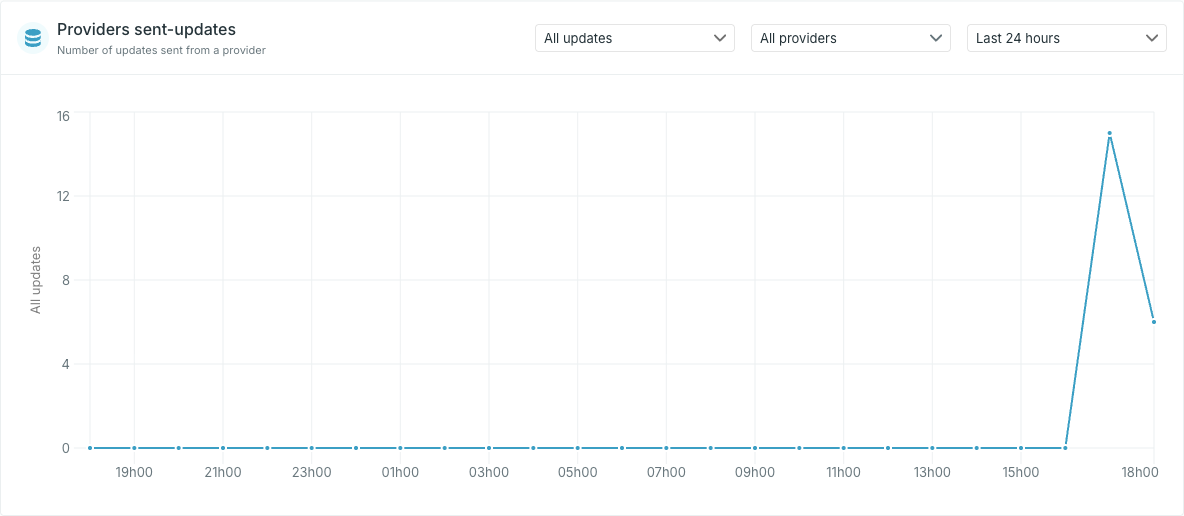
Period
The period selector runs from Last 10 minutes to Last 72 hours.When a board is empty
An empty board means no updates were recorded in the selected window with the selected update type — not that the source or provider is broken. Widen the period, or switch the update type to All updates, before treating it as a fault.To check a single source in more detail, including the ingest log, open that source and use its own monitoring view — see Monitor data ingest.