

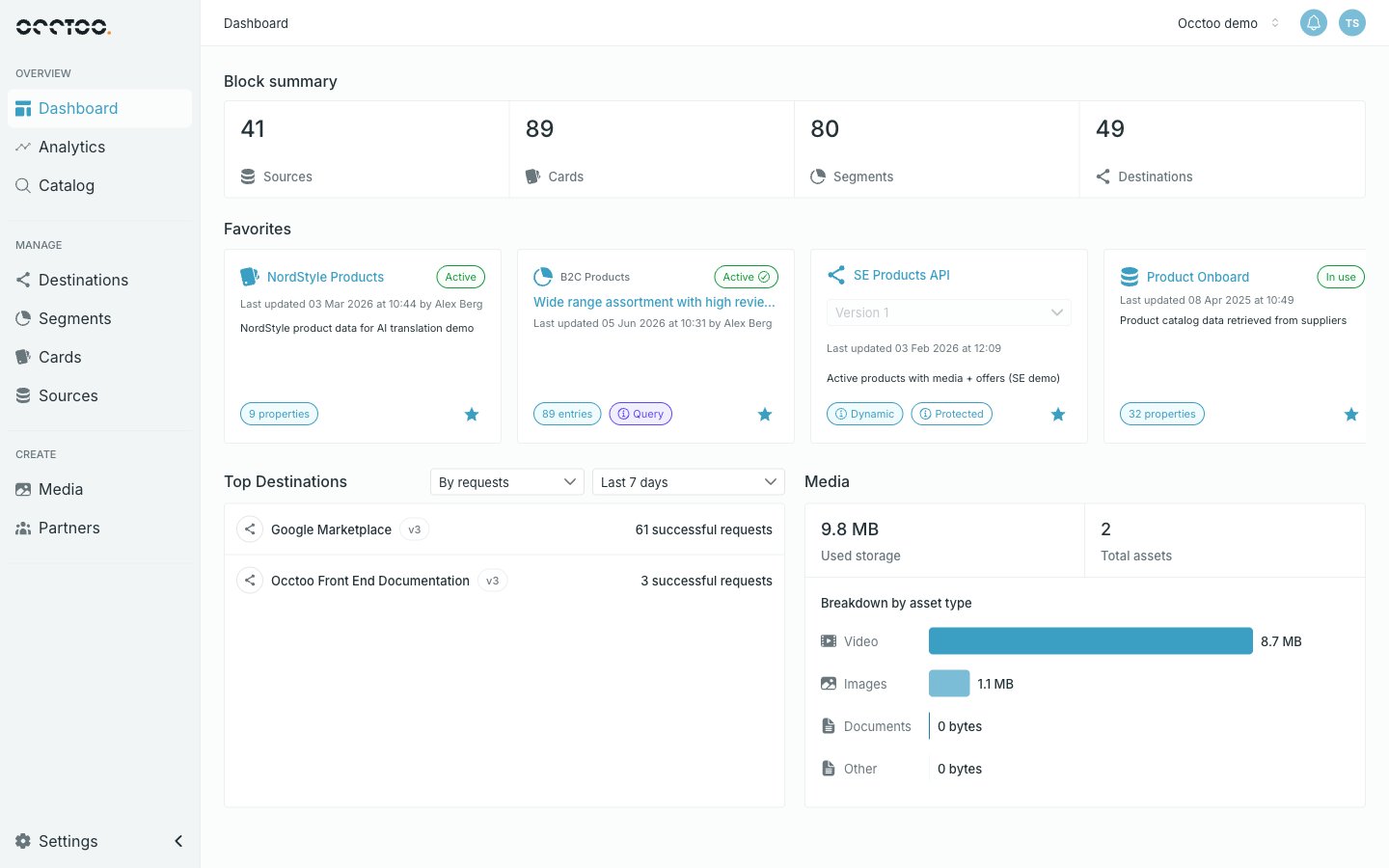
Block summary
Four counters, one per block type: Sources, Cards, Segments and Destinations. Each counter is a link — click it to open that section. The numbers are totals for the environment, not filtered counts. A destination is counted once regardless of how many API versions it has.Favorites
A horizontal strip of the blocks you have starred, mixing all four block types. See Favorites.Top Destinations
The destinations receiving the most traffic, at most ten of them.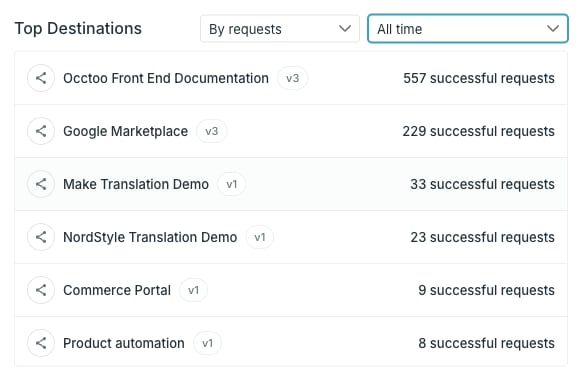
Each row names the destination, badges the API version it counts, and shows the figure for the selected metric. Clicking a row opens that version.
Only successful requests are counted — calls that returned HTTP 200. Failed and rejected calls never appear here, so a destination that is being called incorrectly can look idle. Use the destination’s own Analytics tab to see the full picture.
Media
Storage and asset counts for the environment.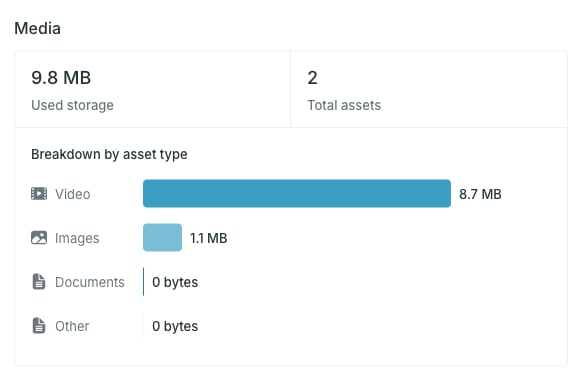
Groups are ordered largest first, and the bar lengths are relative to the largest group — not to your total quota.