Two widgets on the subscription page cover delivery: the chart summarises final delivery outcomes over a time range, and the table shows one row per delivery with its current status and attempt count.

Deliveries over time
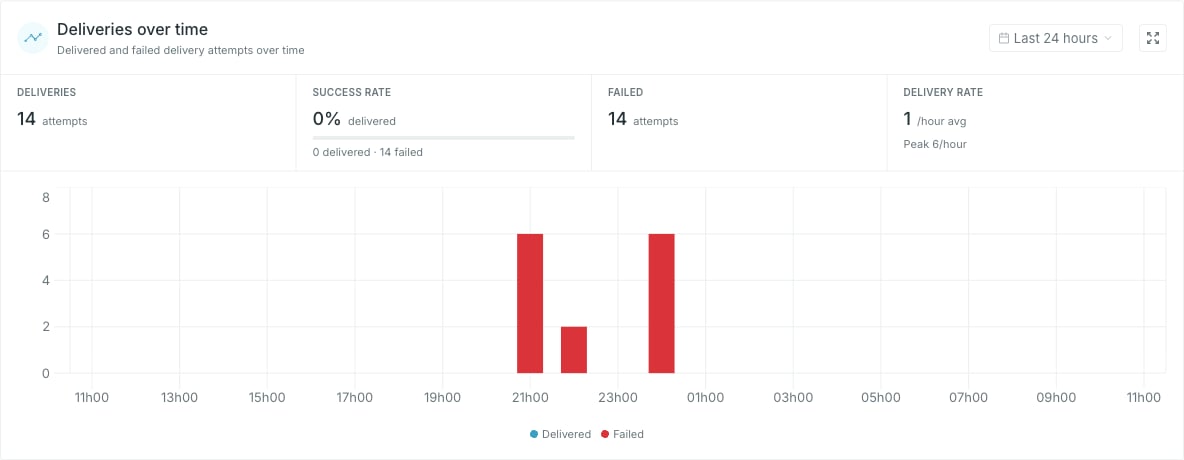
The deliveries over time widget The range picker opens on Last 24 hours. It offers presets By time — from Last 10 minutes to Last 72 hours — and By dateLast 7 days through This month — or pick a start and end day in the calendar and click Apply. Last 10 minutes is a live view: the window rolls forward and the chart refreshes every minute. Bars are stacked per bucket — Delivered and Failed, plus Other if the API reports an outcome Studio does not recognise. The bucket width follows the range: one minute up to an hour, one hour up to three days, one day beyond that. The unit on Delivery rate follows the bucket width — /min, /hour or /day. Each delivery contributes once, when its final outcome occurs. A delivery that fails twice and then succeeds contributes one Delivered and zero Failed. Queued, retrying and cancelled deliveries do not contribute to these metrics.
A range with no data shows No deliveries available rather than an empty chart. Widen the range before reading that as a problem.

Recent deliveries
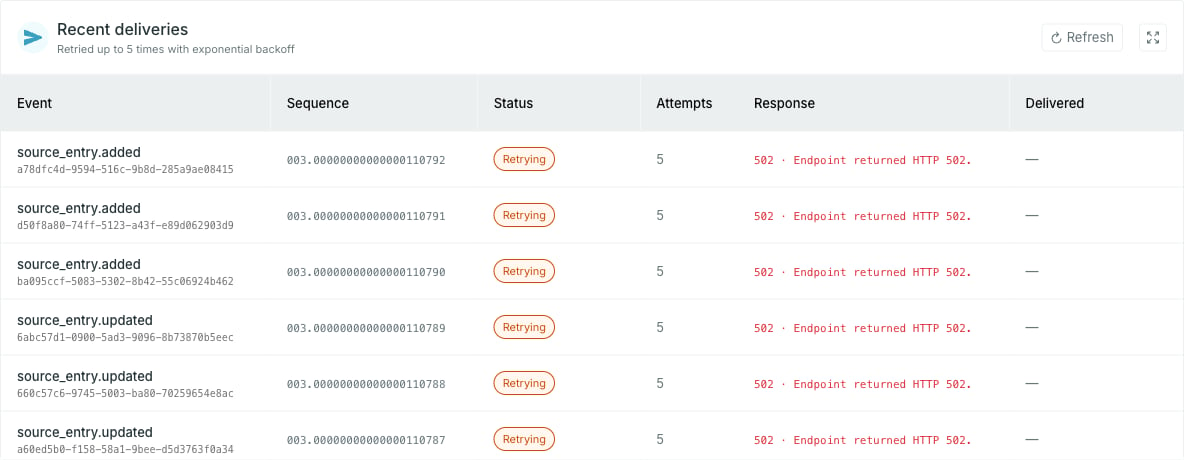
The recent deliveries table One row per delivery, newest first: the event type with its event id underneath, the Sequence that orders it in the stream, the current status, how many attempts it has taken, the response, and when it was delivered. Retryable failures are retried with increasing delays, then dead-lettered if the retry limit is reached. Permanent failures are dead-lettered immediately. For example, an HTTP 400 response is not retried, and 410 Gone also disables the subscription. Repeated authorization failures can pause a subscription automatically. Attempts counts every attempt including the first, so it keeps climbing while a row stays in Retrying. Response shows the recorded status code, with an error description where available. Webhooks show the endpoint’s HTTP status. Azure Storage Queue failures can also show status codes such as 403 or 404. Deliveries with no recorded status code show , including successful queue sends and Service Bus deliveries. The widget holds the 25 most recent deliveries. The expand control opens the full list, which loads more as you scroll, and Refresh re-reads the log in either view.
Delivery is at least once: a delivery that timed out may still have been processed, and the retry then arrives as a duplicate. For webhooks, deduplicate on the webhook-id header. For Azure queues or topics, use the CloudEvent’s source and id together. Service Bus also exposes an occtoo-delivery-id message property. Record the identity with your processing result so a repeat is not processed twice.