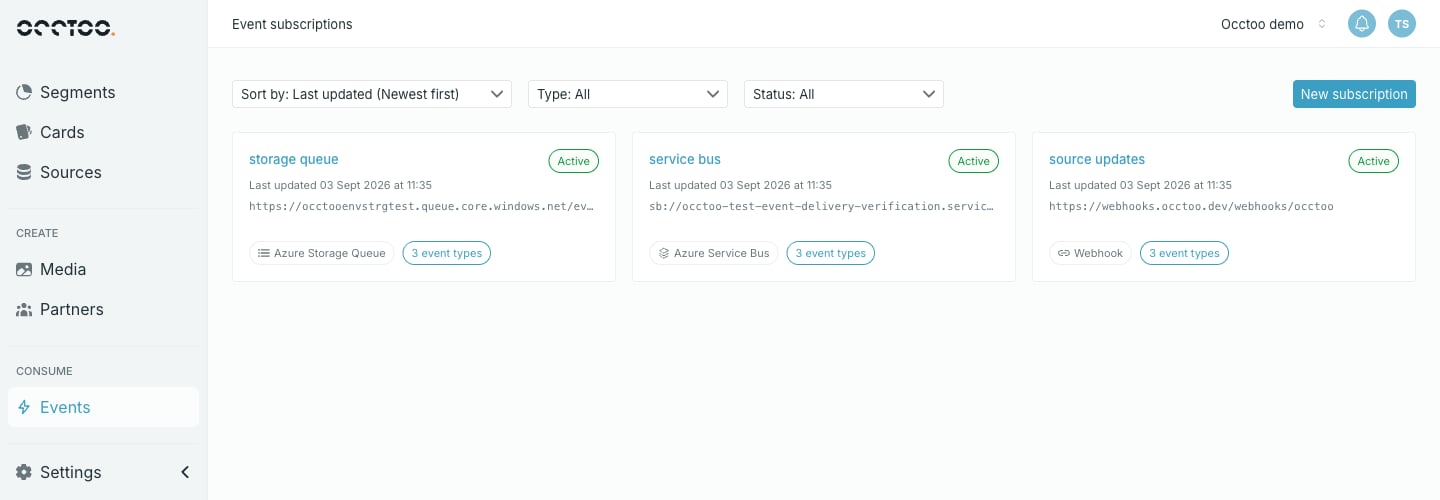
An event subscription tells Occtoo to push events somewhere as they happen — to your own HTTPS endpoint, an Azure Storage Queue, or an Azure Service Bus queue or topic. Each subscription pairs one delivery target with one event filter that decides which of the 30 event types it receives. Open them from Consume → Events in the sidebar. The event subscriptions listing
Subscriptions push events to you. To pull the same events yourself, or to read them as a live stream, use the Events API.

Subscription types

Filter and sort

The listing loads 25 subscriptions at a time and Load more fetches the next 25. Sorting reorders the subscriptions already loaded, so load the rest before reading the oldest-first order as complete.

What a tile shows

The name, the current status, when the subscription was last updated, the delivery target, the subscription type, and how many event types the filter covers. The event-type count is the number of types named in the filter. A filter that names none covers all 30, and the tile says so.

Statuses

Who can do what

Anyone with access to Studio can browse subscriptions, open one and read its deliveries. Creating, editing, pausing, resuming, rotating a signing secret and deleting all need the Contributor role or higher. A Reader sees the same screens with those controls disabled. See Users and roles.