

webhook-signature header, so your endpoint can prove the request came from Occtoo. Queue subscriptions have no secret — access to the queue is the credential.
Store it at creation
Creating a webhook subscription opens Store your signing secret. Copy it there and then: the API returns the secret only at creation and at rotation, and Studio has no way to show it again. The dialog will not close on the first attempt if you have not copied the value — it warns first, and the button becomes Continue without copying so a second click still lets you through.Verify a delivery
Validate thewebhook-signature header on every event delivery request with the stored secret, and reject anything that does not match. Deliveries are at least once, so the same event can arrive twice — deduplicate on the webhook-id header to process it exactly once.
Rotate the secret
Rotate when the secret leaks, or on whatever schedule your own policy sets.1
Open the dialog
On the subscription page, open the kebab menu and choose Rotate signing secret. The item only exists for webhook subscriptions.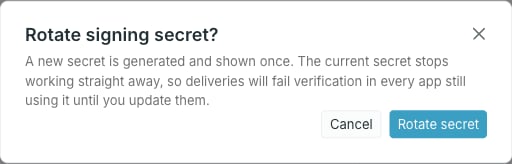
2
Rotate
Click Rotate secret. The new secret appears once, under the same copy guard as at creation — the close button reads Close anyway until you have copied it.
3
Update every receiver