

It needs the card to have at least one property with Allow enrichment
turned on — otherwise the item is disabled, because an import can only write
to enrichable properties.
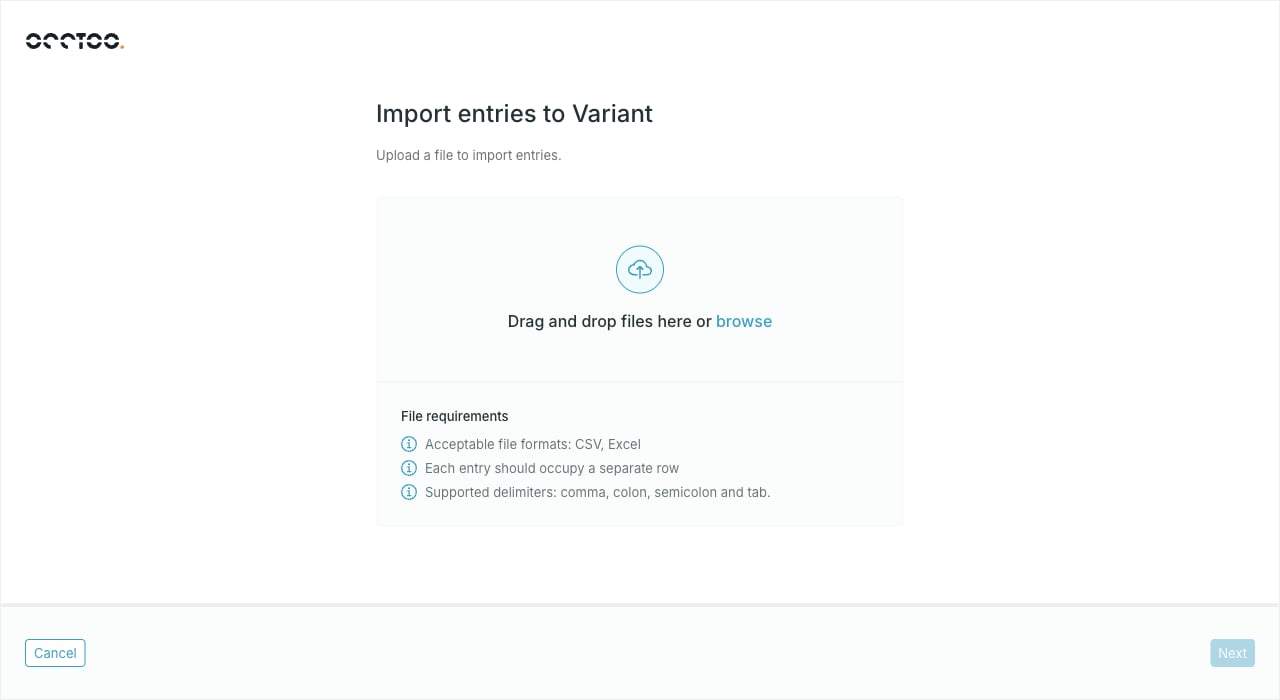
File requirements
- CSV or Excel
- One entry per row
- Comma, colon, semicolon or tab as the delimiter
Run Export entries on the same card
first. The exported file has the columns the card expects, which makes it a
safe starting point for the file you import.
Import
1
Drop the file in
Drag it onto the dialog or use browse. Studio uploads it and then
analyses it, with a progress bar for each step. Cancel at any point
abandons the import.
2
Read the analysis
The summary states how many entries would be added, how many updated, and
how many rows failed validation. When rows failed, Download invalid
entries gives you a file listing them so you can fix the source data.
3
Press Import entries
The button is only enabled once the analysis passes. Studio starts the
import in the background and closes the dialog; progress is tracked in the
notification center, and the entry list refreshes when the import finishes.