

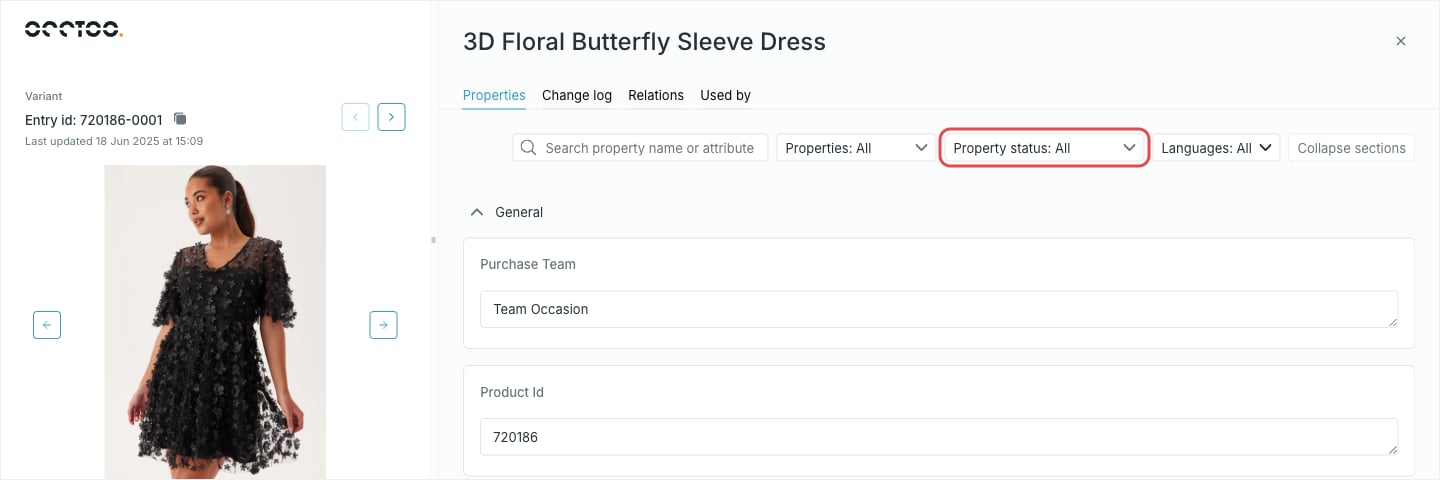
Which properties you can edit
A property is editable only when the card has Allow enrichment turned on for it. Everything else is rendered read-only, so you can read the sourced value but not type over it. The built-inid property is always read-only.
To make a property editable, change it on the card — see Update a property.
The input follows the property’s data type: a text area for text, a number field for integers and decimals, radio buttons for true/false, a date and time picker for timestamps, and a value picker for list properties. A property bound to a managed tag list offers that list’s values instead of free text. Localized text and localized list properties render one input per language.
Narrow a long property list
Property status and Languages are remembered per card in your browser, so a card you always work on in one language stays that way between visits.
Save or revert
1
Change a value
The property grows a Revert changes button, and a bar appears at the bottom of the entry with Revert all and Save.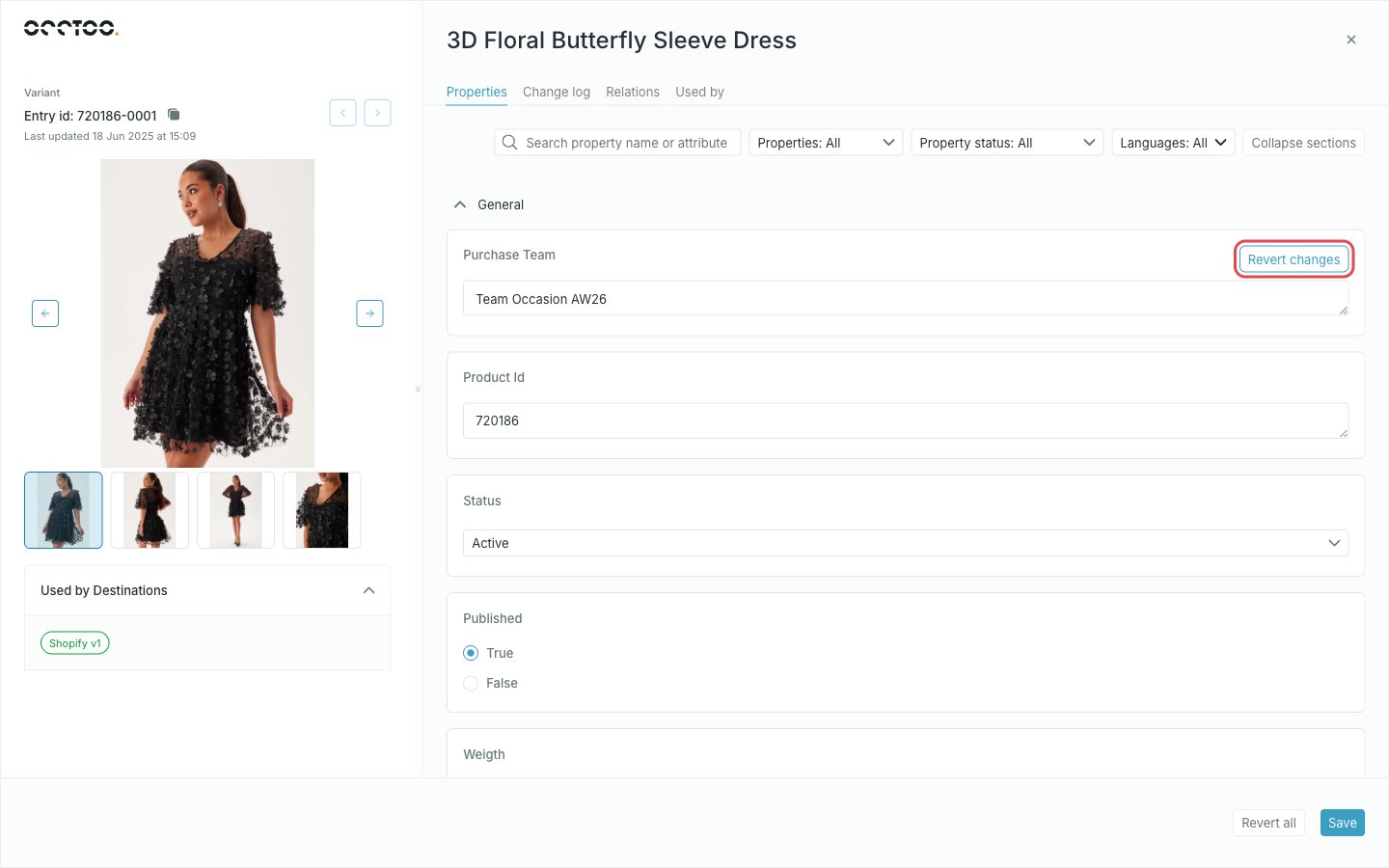
2
Discard what you do not want
Revert changes puts one property back to its stored value. Revert all puts back every property you touched.
3
Save
Only the properties you actually changed are sent. Studio keeps you on the entry, and the entry list and the Change log pick the new values up straight away.