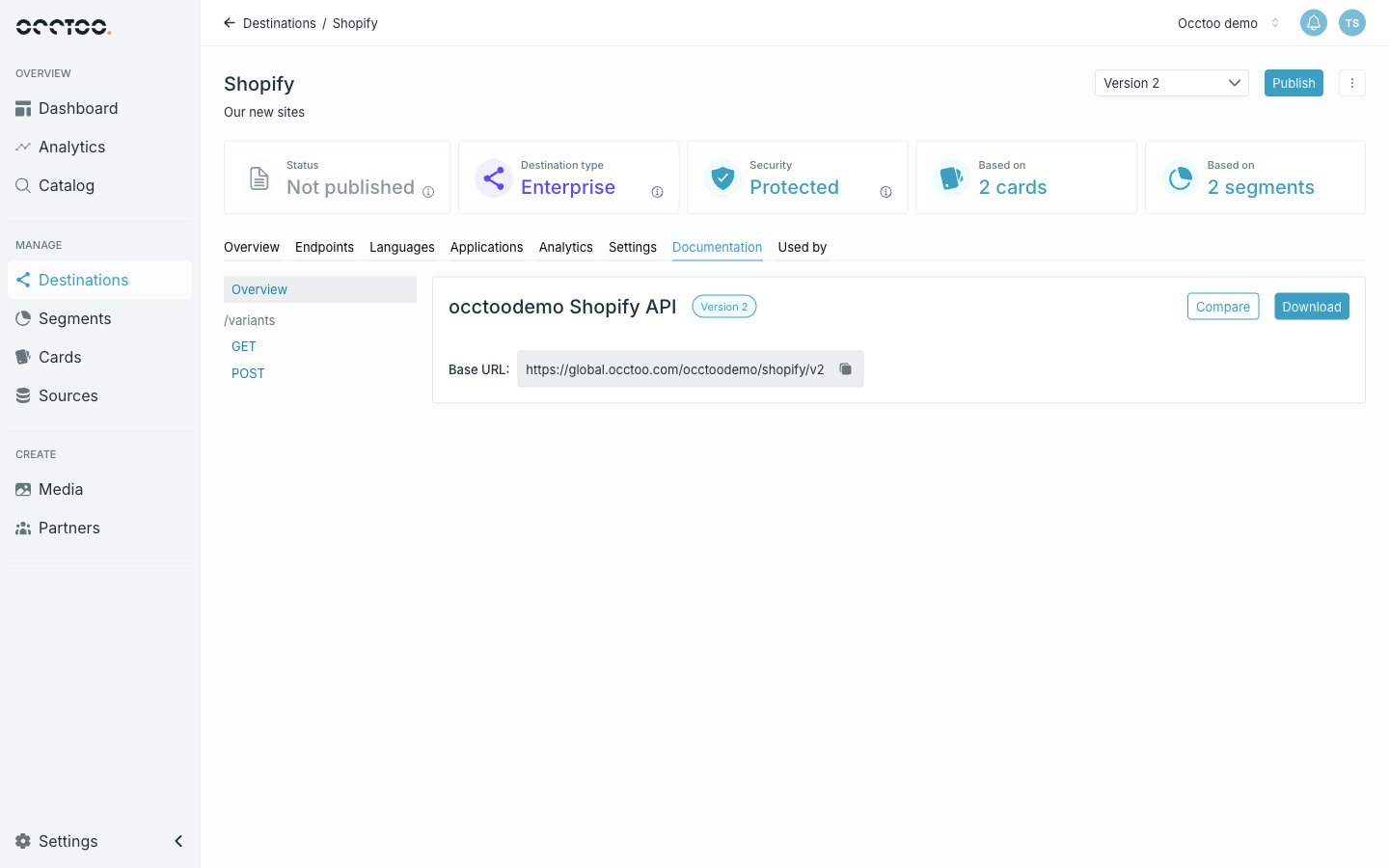
The Documentation tab holds an OpenAPI reference generated from the version’s own configuration — it always matches what the API actually serves. The Documentation tab The left column lists Overview and then each endpoint path with the methods it supports. Overview shows the API title, its version badge and the base URL.

Read a request

Selecting a method shows its full URL, its Query Parameters table, and the response schema. A request in the documentation The parameter table gives each parameter’s name, type, description and whether it is required. This is where to check what the endpoint supports — language, search, sortAsc / sortDesc, top / skip, paging with after, and the rest.
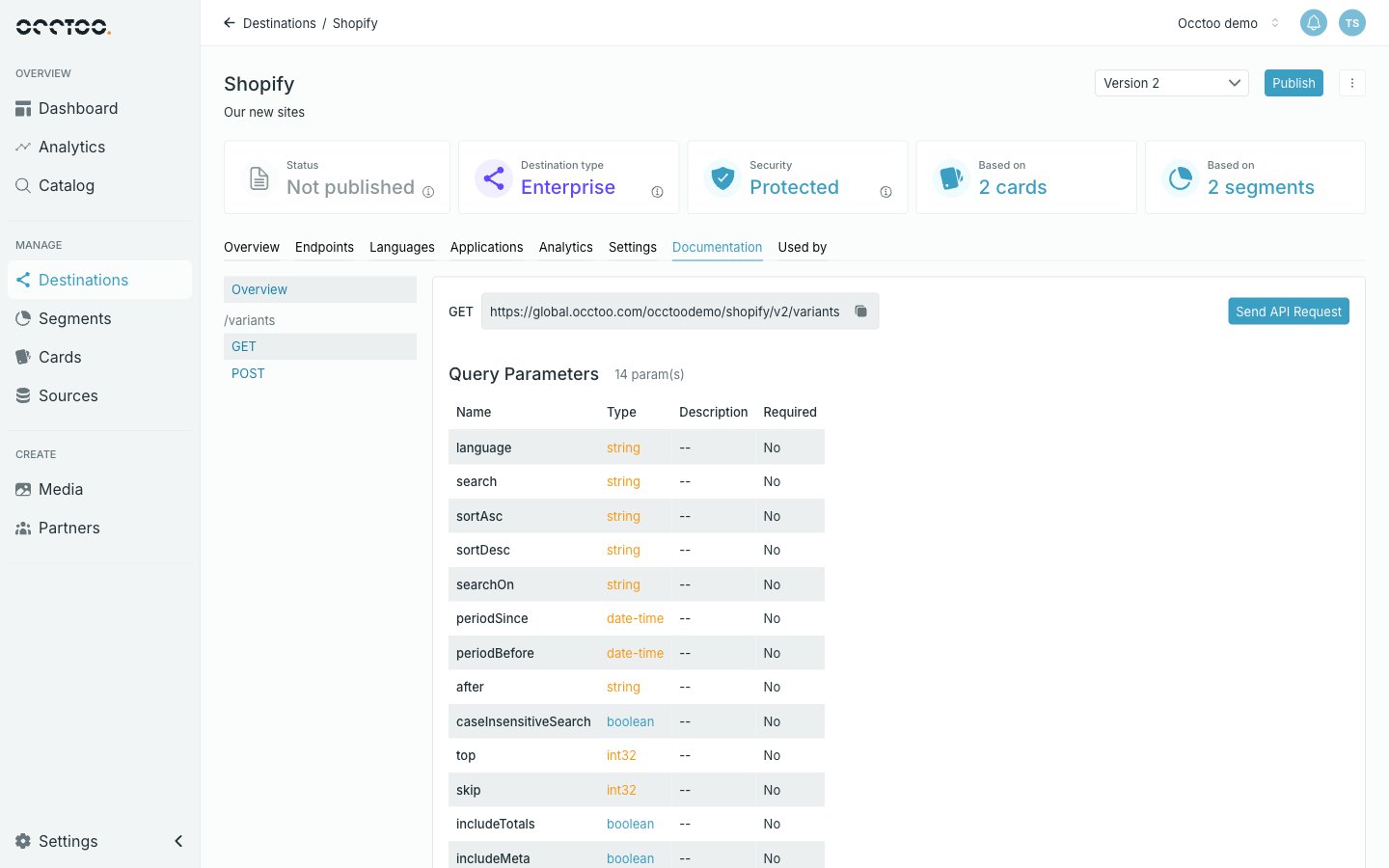
Parameter semantics, including paging, are documented in the consumption API reference.

Try a request

Send API Request opens the Destination Query Tool — a dialog that calls the live endpoint and shows the response, without leaving Studio. The left half is the request:
  • Request HeadersContent-Type: application/json is fixed. On a Protected version with a registered application, Authorization is prefilled with that application’s access token. Add header adds your own rows.
  • Parameters — every query parameter the endpoint declares, plus id, which every endpoint accepts for fetching entries by ID. Parameters left empty are not sent.
  • Request Body — only for POST and PUT, prefilled with an example payload.
The right half holds the response, and the footer says whether the request as composed is valid. Send it with the play button beside the URL, or with Run now.
A Protected version with no registered application cannot be called from here: the tool shows a warning and the run buttons stay disabled. Register an application first.

Download the spec

Download offers:
  • Download JSON — the OpenAPI document.
  • Download JSON & Examples — the same document with example payloads, when the version has examples to give.
The button is disabled while a publish or update is running, since the spec would be mid-change.

Compare versions

Compare opens a side-by-side diff of this version’s data model against another version of the same destination. Use it before retiring a version to see exactly what changed for consumers — which fields appeared, disappeared or changed type.