

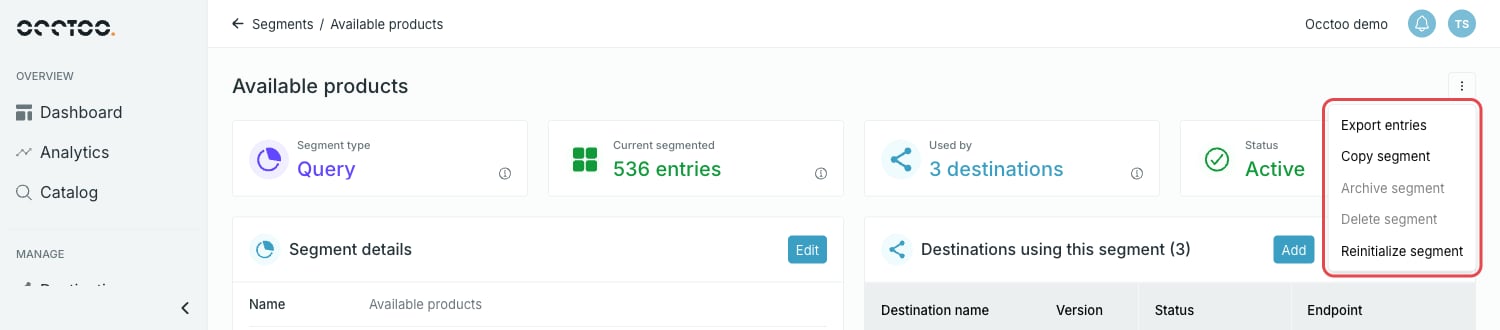
Export entries
Exports the entries of the segment to a file.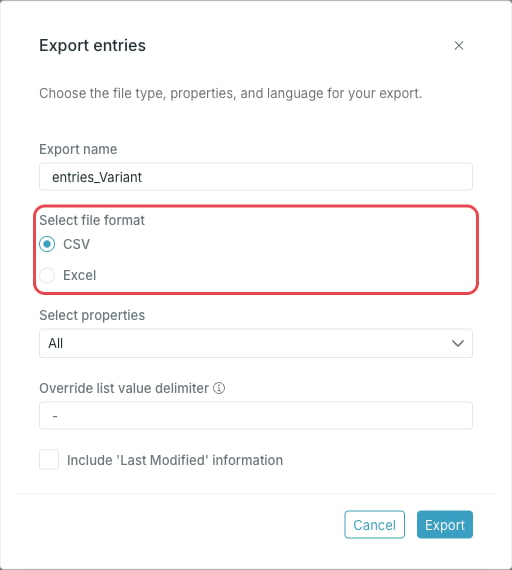
- Export name
- Select file format — CSV or Excel
- Select properties — all properties, or a selection
- Select language(s) — for cards with localized content
- Override list value delimiter — the delimiter used to separate values on list properties. Left blank, the original delimiter is kept.
- Include ‘Last Modified’ information
Copy segment
Opens the segment flow with the filters and exclusions of the current segment already in place. The card and the category are locked, and you give the copy a new name and description.Archive segment
Archiving stops updates and removes the segment from all destinations. The data is preserved as it stands, and the segment can be restored later with Restore segment on the segment page.Delete segment
Deletes the segment and all its details. This cannot be undone.Reinitialize segment
Restarts the initialization of the segment. The status is reset and the entries are processed again. Use it when a segment looks out of sync with its criteria.Archive, delete and reinitialize all ask for confirmation before they run.