

1
Open the Endpoints tab
Open the destination and select Endpoints, then click Add Endpoint.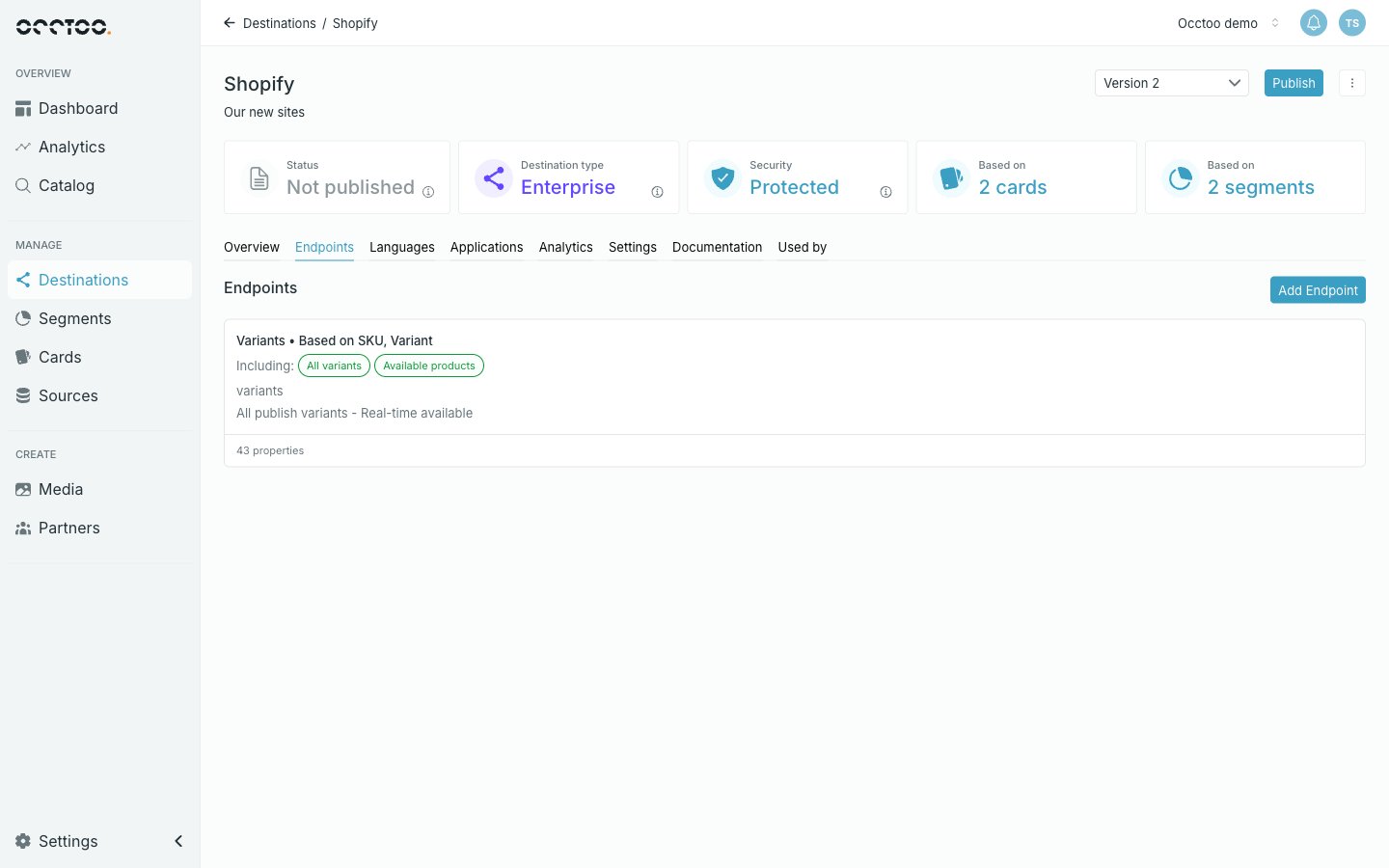
2
Describe the endpoint
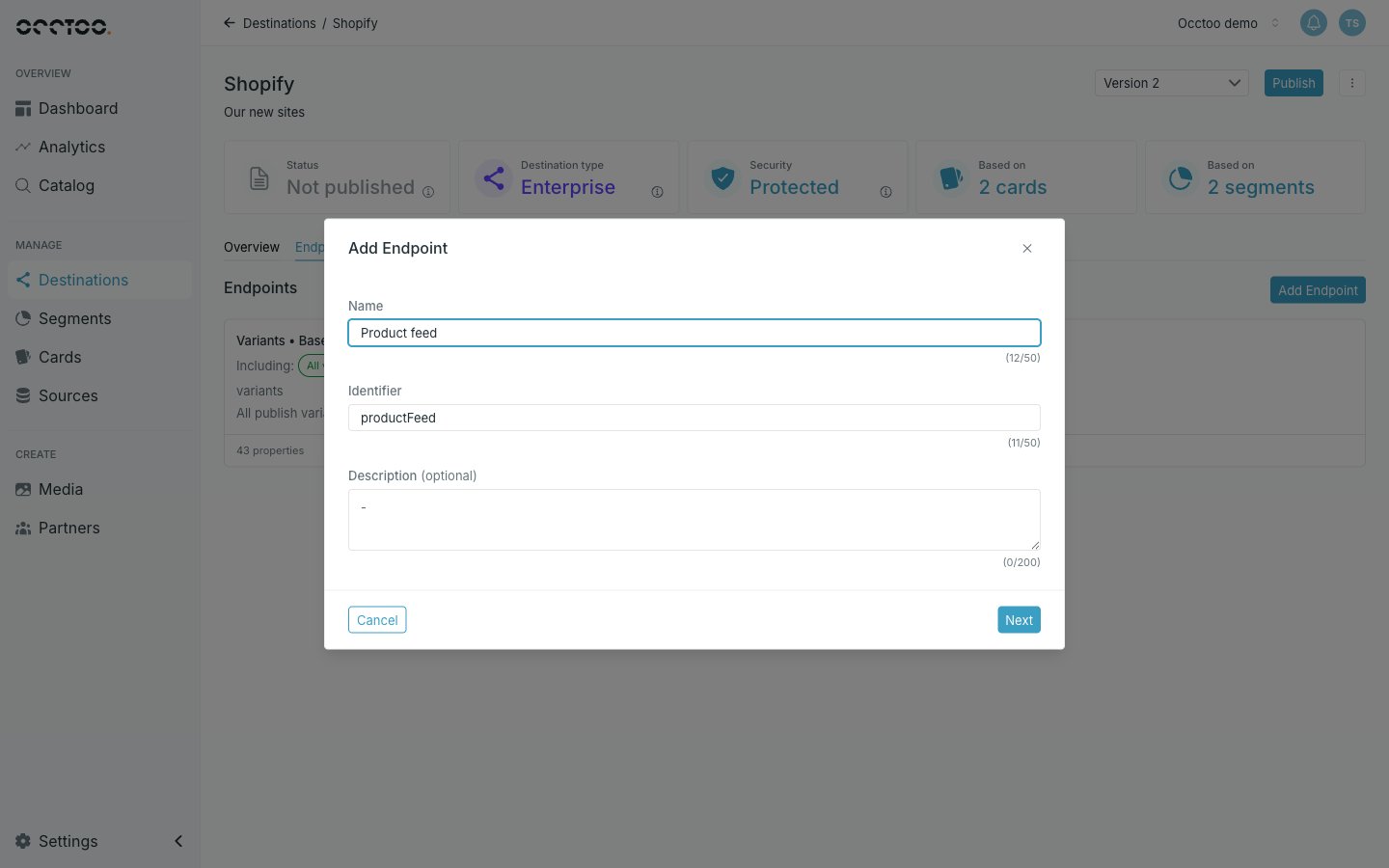
- Name — the display name.
- Identifier — the URL segment, derived from the name as you type. At least 3 characters, alphanumeric and underscore only.
- Description — optional.
3
Select the content base
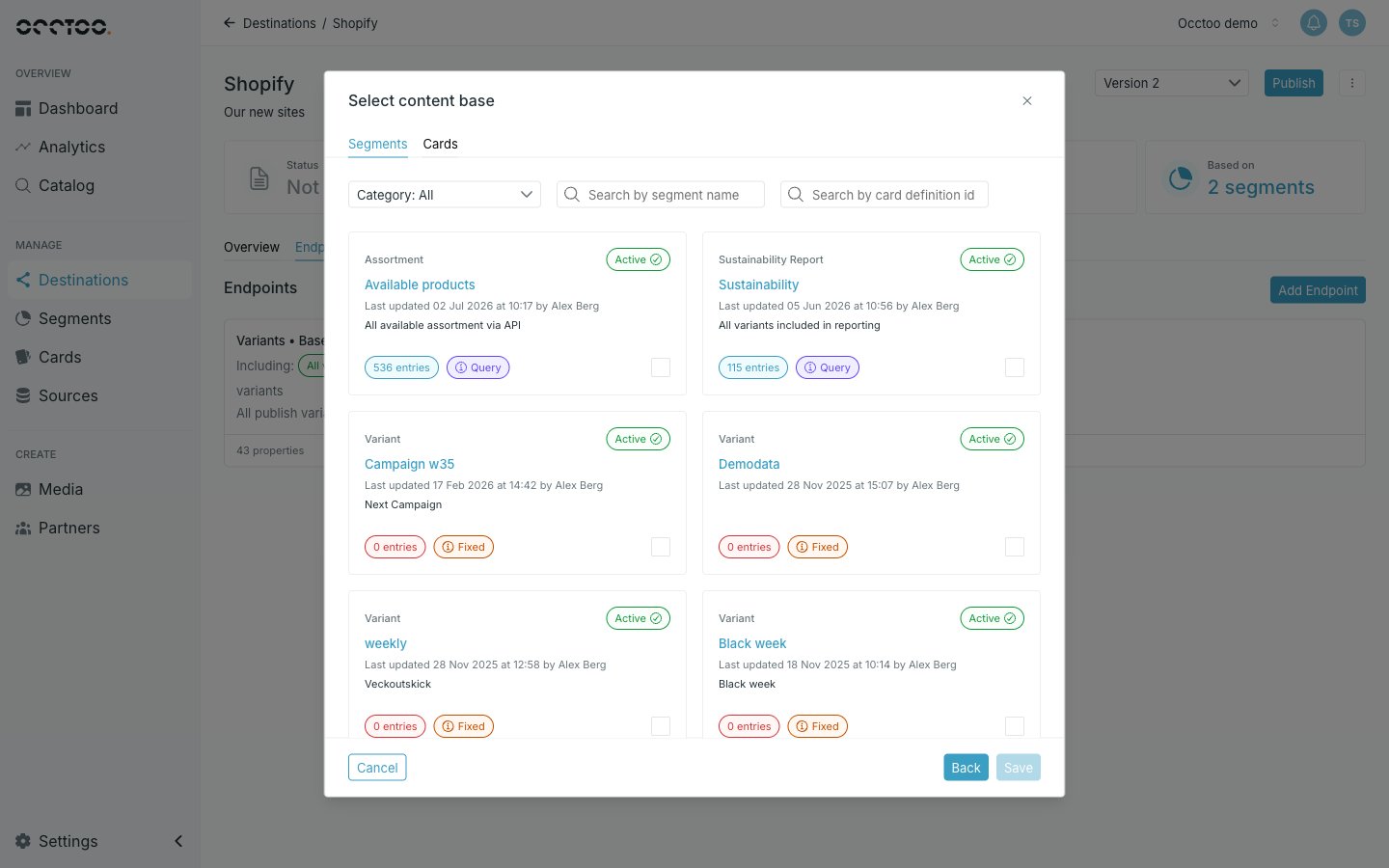
- Segments — the endpoint returns only the entries in that segment. Picking a segment also fixes the card it belongs to.
- Cards — the endpoint returns every entry of that card.
4
Save
Click Save. Studio creates the endpoint with every property of the card selected, and opens it so you can narrow that down.