1

Select the version

Open the destination and switch to the version you want to remove.
2

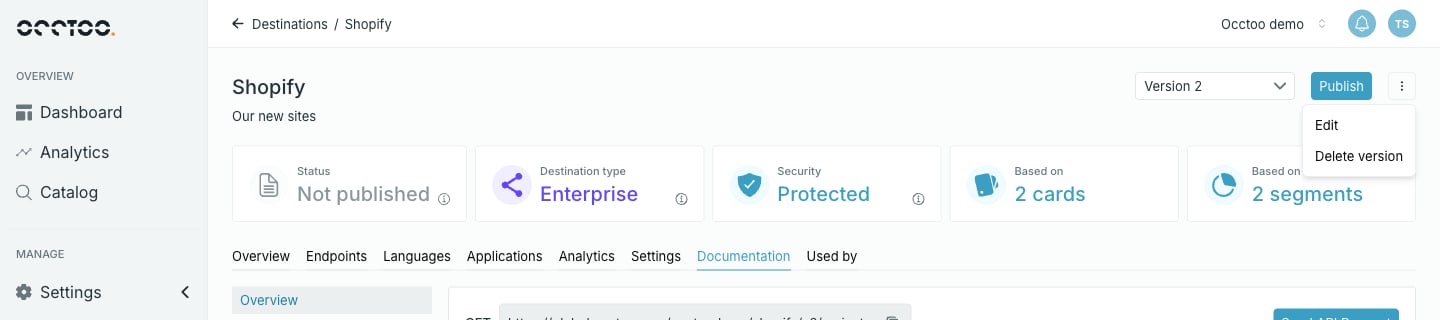
Open the header menu

Click next to Publish.The destination header menu
3

Delete it

Select Delete version and confirm.
Deleting a version takes its URL out of service immediately. Any consumer still calling .../v{number} starts failing — confirm they have moved before you delete.
Deleting the only remaining version deletes the destination, and Studio returns you to the destinations listing.
Deletion is not instant: the version passes through Deleting while it is torn down. Deleted versions stop counting toward the environment’s destination totals and disappear from Dashboard traffic figures.
Keeping old versions is not free — see the note on version count in Create a version.