

1
Open the Data providers tab
Open Sources in the left navigation and switch to the Data providers tab.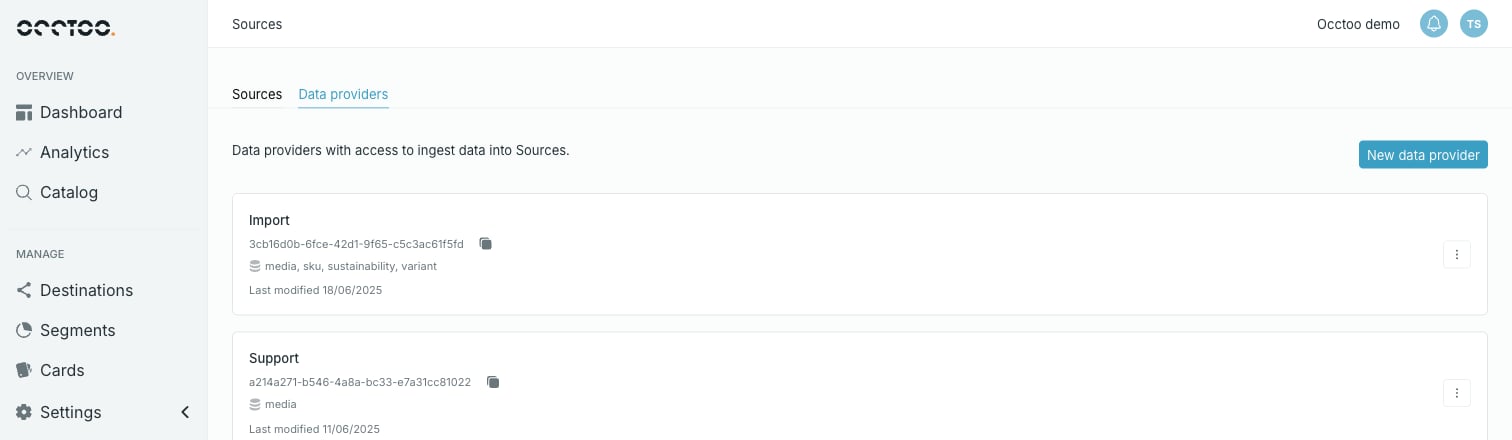
2
Press New data provider
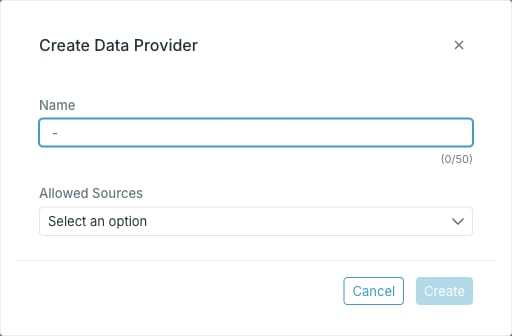
- Name — required.
- Allowed Sources — the sources this provider may write to. Pick as many as needed.
3
Press Create
The dialog stays open and shows the generated secret. Copy it with the copy button.
4
Confirm you have copied the secret
Allowed sources
Allowed Sources is the whole of a provider’s authorisation: it can write to those sources and nothing else. That lets you scope integrations — several providers writing to one source, or one provider restricted to a single source.A source’s own page lists the providers that may write to it, in the Providers chip row — see Track usage of source data.