

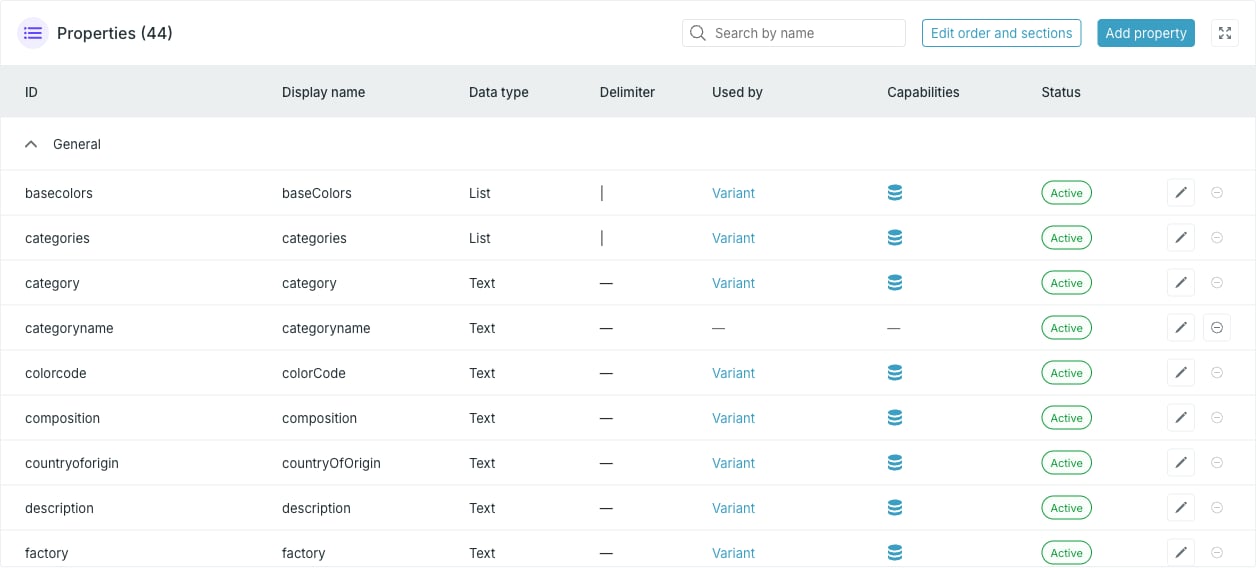
Columns
Each row ends with an edit and a delete button.
Status
A property is Active in normal use. It shows Updating while a change is being applied and Deleting while it is being removed. Both edit and delete are disabled in those states.Sections
Properties are grouped into collapsible display sections. Anything not assigned to a section sits in General. Sections are ordered by the lowest display order among their properties. See Display sections and order. The same display order decides which properties get a column in the Entries widget — the first six do.Search
Search by name filters the table. It is a fuzzy match on the display name, so small typos still hit, and it only starts filtering past two characters. No match shows No results.The search matches the Display name column, not the ID.
Where properties come from
Properties appear on their own the first time data arrives carrying them, whether through a provider or a CSV import. Defining one up front lets you set its type, capabilities and display section before any data lands — see Add or edit a property.Actions
- Add property — define a new property.
- Edit order and sections — drag properties into order and between sections. Disabled when the source has no properties.
- The pencil on a row — edit that property.
- The remove icon on a row — delete that property. Disabled while a card uses it.