

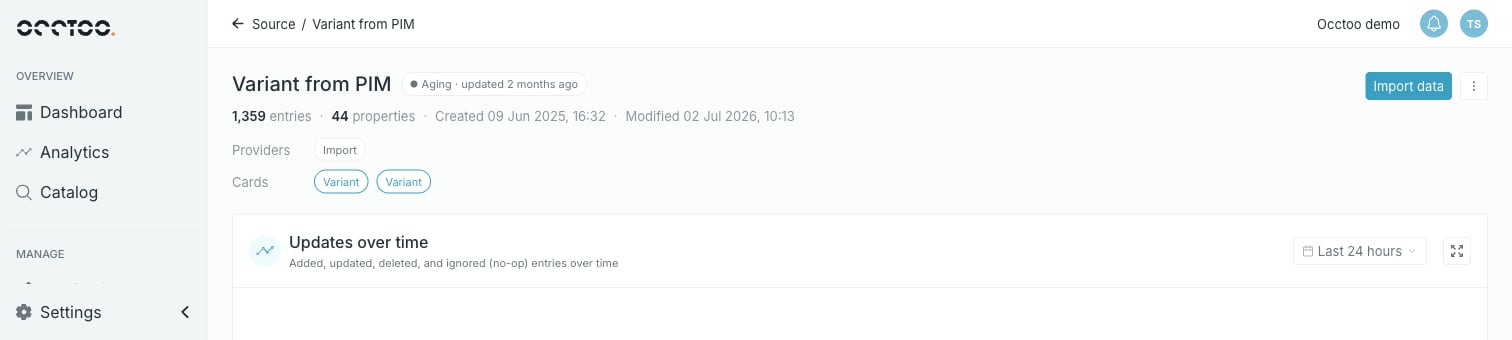
Header
Next to the source name is a freshness badge, based on when entries were last modified:
The badge also carries the relative time — Aging · updated 2 months ago.
Under the name sits the description, then a stat line: entry count, property count, Created and Modified timestamps.
Below that, up to three chip rows show where the data comes from and where it goes:
- Providers — the data providers granted access to this source. Each chip opens the Data providers tab scrolled to that provider.
- Cards — the cards built on this source. Each chip opens the card.
- Shared ID — the sources this one shares entry IDs with. Each chip opens that source.
The widgets
Updates over time, Entries and Properties each have an expand icon in their top right corner that opens the widget full screen.
The source menu
Import data and a menu sit in the top right of the page.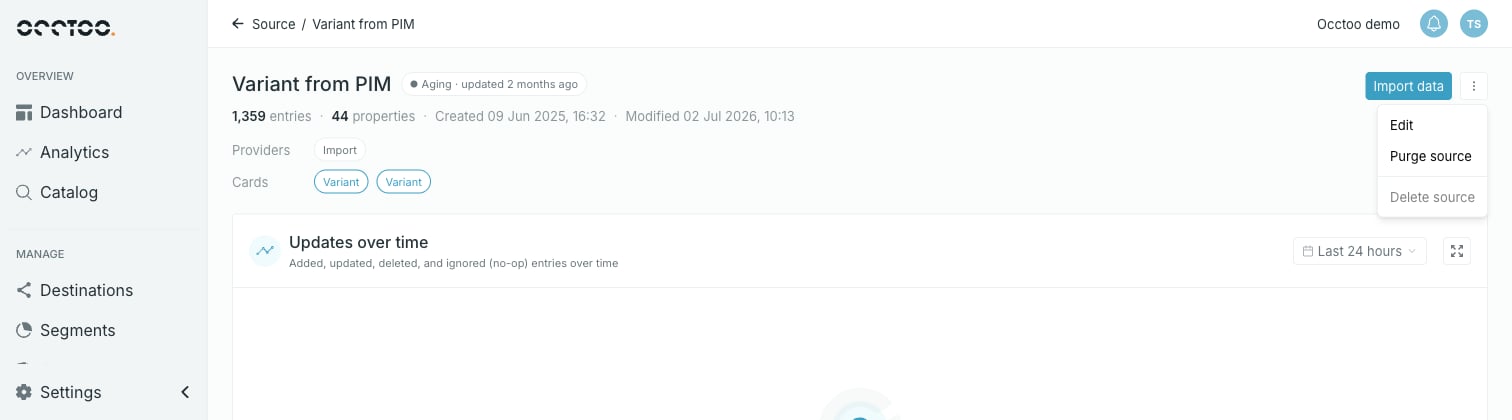
- Edit — name, description and shared IDs. See Edit a source.
- Purge source — delete every entry, keep the source. See Purge a source.
- Delete source — remove the source itself. See Delete a source.
Purge source is disabled on a source with no entries, and Delete source is disabled on a source that has entries, cards or providers. So on any given source at most one of the two is usually available.