

1
Press Import data
Open the source and press Import data, in the page header or in the Entries widget.
Import data is unavailable while the source is being purged.
2
Choose the file
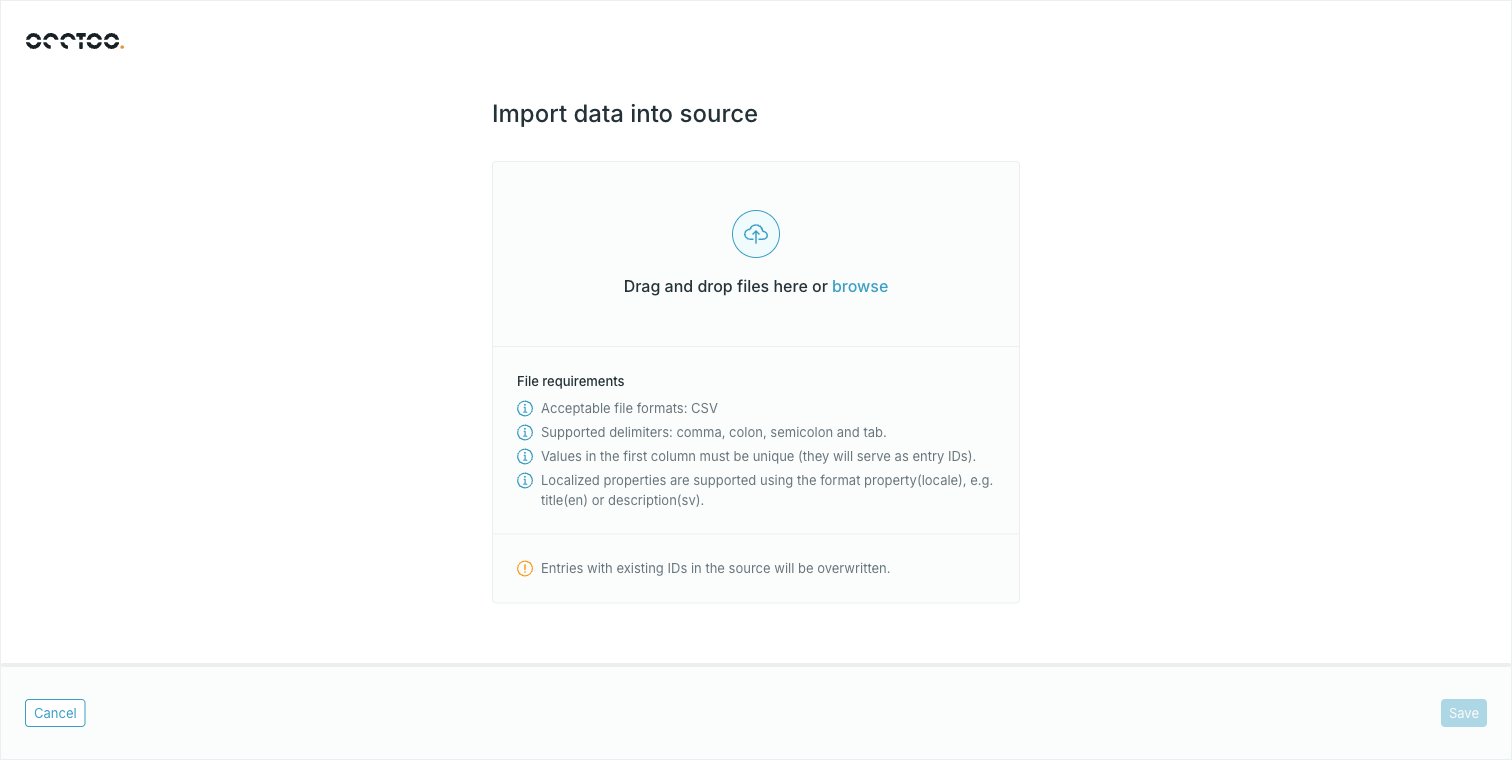
property(locale) for localized properties.3
Read the summary
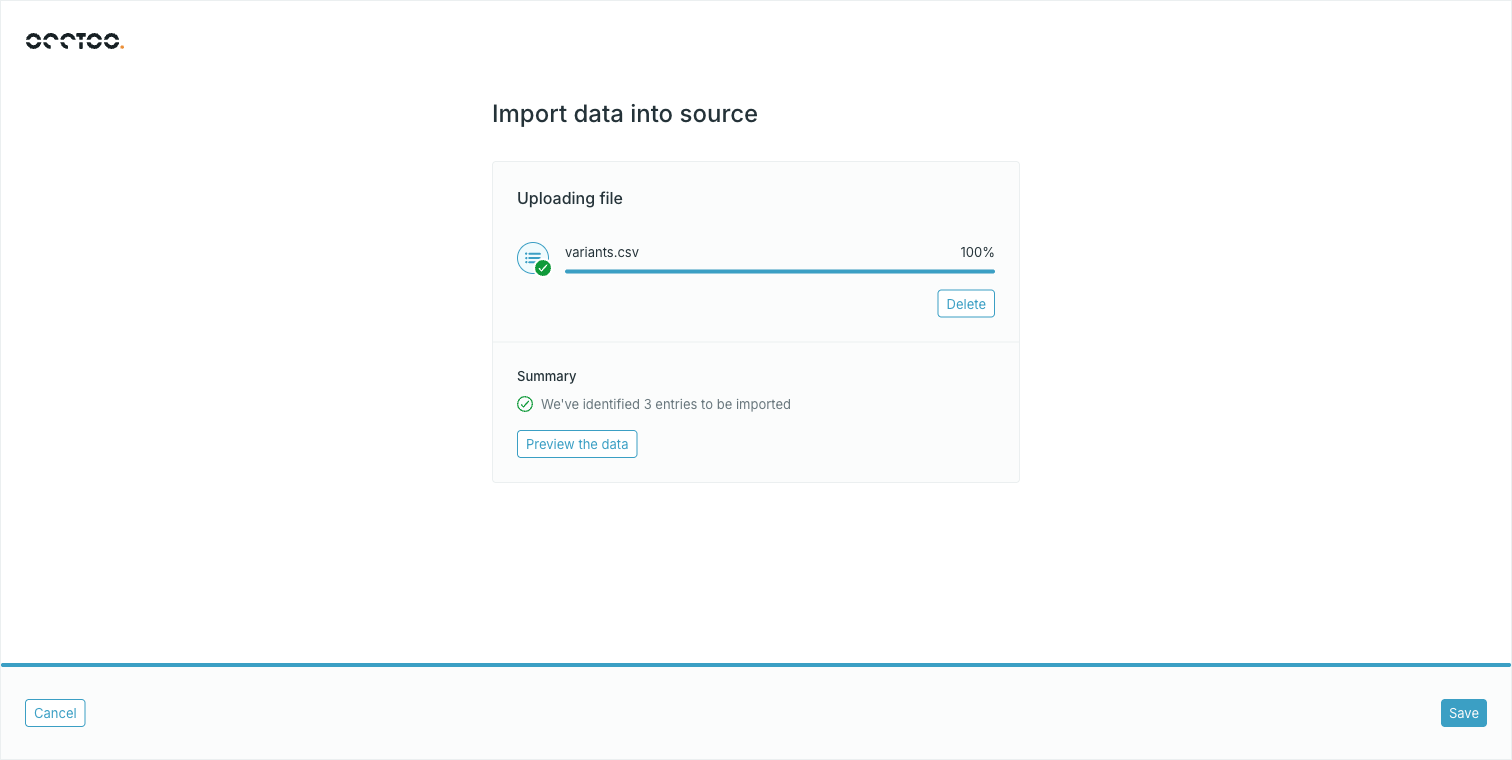
4
Preview the data
Preview the data opens Review your data. The first column is tagged ID.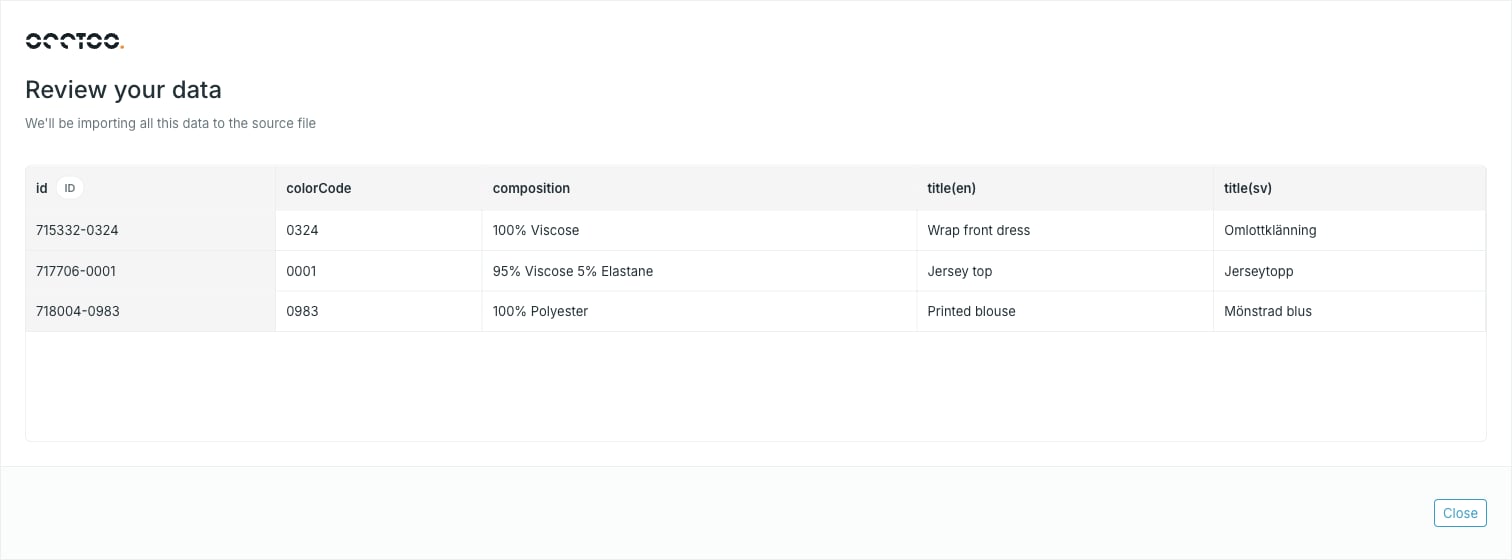
5
Press Save
Save starts the import and closes the dialog.The import then runs in the background. The Entries widget shows Import is in progress and refreshes itself until entries appear.
File rules
The first row is the header row, and the first column is the entry ID. Column headers must start with a letter and may contain letters, digits, underscores, dashes, slashes, colons, pipes and parentheses — the last for localized properties. Headers have to be unique. Entry IDs must start with a letter or digit and may contain letters, digits, underscores, dashes, slashes, colons and pipes. A row with an empty first column is rejected. Headers and entry IDs are both capped at 256 characters. Fully empty rows and columns are skipped rather than treated as errors.Localized columns
Write a localized value asproperty(locale):
title property with an English and a Swedish value, alongside the plain colorCode. Locale codes may use hyphens or underscores — en-US and zh_CN both work. A header that does not match the property(locale) pattern is treated as non-localized.
Localized and non-localized columns can be mixed freely in the same file.
Limits
- One CSV per import, up to 10 MB.
- Files over 65,000 entries are rejected.
For recurring loads, use a data provider and the ingest API instead — see Import data. For import formats other than CSV, contact support@occtoo.com.