

1
Open the provider menu
On the Data providers tab, press the menu on the provider and choose Delete.
2
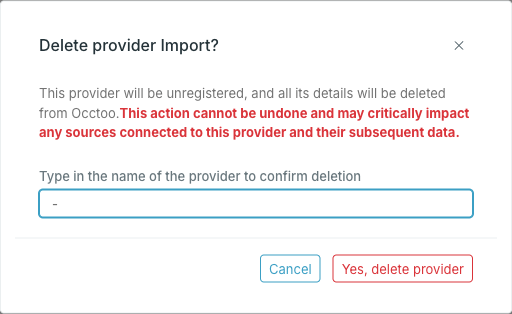
Confirm by typing the provider name
3
Press Yes, delete provider
The provider is unregistered immediately.
Before you delete
Check what the provider feeds. Open each source it lists and look at the Providers chip row — if this is the only provider on a source, nothing will be writing to that source after the deletion. Data already onboarded stays; it just stops being updated.To take away access to one source without unregistering the provider, remove that source from Allowed Sources instead — see Edit a data provider.